

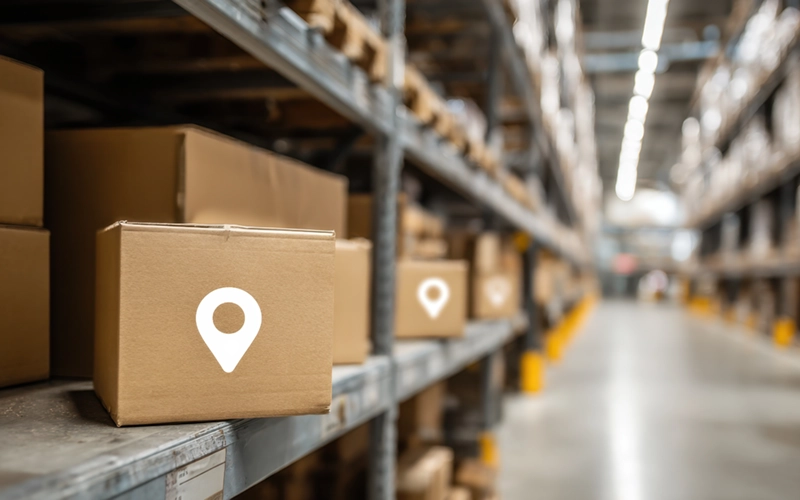
Top 5 Asset Tracking Systems for American Businesses Compared
Looking to take advantage of asset tracking devices? Check out our top five comparison before making
If your business relies on assets like tools, equipment, or vehicles, and you’re not using asset management systems, then this has to change. From increased security to longer asset lifespan, the benefits of asset tracking devices are unparalleled. But with so many providers out there, it can be difficult to know who to choose.
That’s why we put together this handy guide, where we’ll compare 5 of America’s leading asset tracking providers. We’ll discuss their features, their pros and cons, and even give you our expert tips on how to choose the right provider for your business.
Asset tracking is the process of monitoring and managing commercial assets with the use of asset tracking technology. These can include GPS, RFID tags, or barcode scanners, which allow businesses to track the location, condition, and usage of their assets in real time.
These systems can be broken down into two key components: asset tracking hardware and asset tracking software.
Hardware is the physical part of the system. The tracker you place on your machinery. The tag you attach to your equipment. The QR code you print and stick to your tools. If you can physically touch it, that’s the hardware.
Software is the digital side of the system. This receives signals from the hardware informing you of its location, status, condition, and other key pieces of data. This can often be viewed on computers, mobile, or tablet devices, so no matter where you are, you’re covered.
One of the main advantages of asset tracking is having real-time insights into your assets’ location, condition, how they’re being used, and who is using them. Whether your team is on-site or out in the field, you can easily access everything you need to know about your inventory with just the push of a button. This reduces the need for physical inspections and provides unmatched peace of mind knowing you have a 360-degree view of your entire inventory.
A stitch in time saves nine, and never has that been truer than when it comes to your assets. Asset tracking systems come with automated updates for unique service intervals so you can more accurately and strategically plan routine maintenance. With this proactive approach and logging past maintenance records, you can reduce costly breakdowns and unexpected downtime.
It’s not just minimizing downtime but also maximizing asset lifespan and your return on investment. By understanding where assets are, what condition they’re in, and who used them last, you can map out handling standards for your staff to follow. Creating these standards alongside routine audits keeps your assets in the best possible condition, reducing the need for expensive repairs or replacements.
You don’t need us to tell you that some tools and equipment out there don’t come cheap, and when they go missing, you’re left to foot the bill. With asset tracking technology, you significantly reduce the risk of loss or theft, as you will have the ability to see where the asset is and who has access to it. Even just knowing these systems are in play is enough to make sticky-fingered employees think twice.
Inventory audits are a slow, tedious process that nobody enjoys. Luckily, you can streamline this process by maintaining up-to-date records at all times and easily generate reports showing what assets you have, where they are, and what condition they’re in. Think of all the hours saved, which can be redirected into more high-priority tasks.
An organized and automated asset tracking system allows your team to work more efficiently. Features like barcode scanning, QR code identification, and automated alerts eliminate time-consuming manual processes. Once your system is up and running, team members spend less time searching for assets or filling out forms, and more time making your business money.
Sign-in and out features track who has a piece of equipment, when they took it from the inventory, and the condition they received it in. This is built to foster an environment of responsibility and removes any “he said, she said” about any damaged or lost assets. This is particularly useful if you run a larger operation where multiple different people are handling tools and equipment regularly.
Asset tracking software allows you to centralize all documentation related to any asset in your inventory. From manufacturer manuals to internal handling guides, maintenance reports, and damage histories, everything can be digitally assigned and stored to individual assets. This eliminates reliance on paper records and makes it easier to access critical information whenever it’s needed.
Financial documentation creation, like generating balance sheets, calculating depreciation, and preparing taxes, has never been so easy. An optimized asset tracking system ensures you have accurate, accessible information about what you own, where it is, and what it’s worth.
With real-time data on asset condition, usage patterns, and location, you can remove any guesswork and make key decisions based on real-world data. Revealing trends can help you guide purchases, develop maintenance strategies, and even help with risk mitigation.
Before we get started, we need to make it clear that this isn’t a ranking table. More so, a comparison with an overview of each provider and what they can offer. That way, when it’s time to make a decision, you have a more objective understanding of what they can do for your business.
| Provider | Best For | Pricing |
|---|---|---|
| Asset Panda | Flexible, customizable asset workflows | Free trial (14 days) Starter: $33/user/mo Business+: $50/user/mo Enterprise: Custom |
| EZOfficeInventory | Ease of use and fast setup | Essential: $40/mo Advanced: $55/mo Premium: $65/mo Enterprise: Custom |
| UpKeep | All-in-one software + hardware tracking | Essential: $20/user/mo Premium: $45/user/mo Higher tiers: Request pricing |
| Samsara | Real-time fleet & equipment tracking at scale | Custom quote only \n3-year commitment required |
| Tenna | Industrial/construction environments | Custom quote only |
Kicking things off, we have one of the giants of the asset tracking game, Asset Panda. Combining simplicity with power, they claim that their systems offer an average of 800% ROI. No wonder they have a trophy cabinet full of awards, including Forbes, Capterra, and Software Advice.
Cloud-Based System: All of Asset Panda’s systems are hosted on Amazon AWS with secure TLS 1.2 encryption, offering you both unmatched security and scalability.
Unlimited Users: All plans, even at their free tier, come with unlimited users, allowing for a cost-effective solution.
Dedicated Mobile App: Whether you prefer iOS or Android systems, you will benefit from barcode scanning, asset check-in/out, and real-time updates.
Barcode and QR Code Management: Generate, print, and scan unique barcode/QR labels directly from the platform.
Asset Lifecycle Tracking: From purchase to disposal, track every stage of your asset lifecycle, including usage history and depreciation
Inventory Management: Monitor stock levels, manage parts, and track item movements across multiple locations.
Maintenance & Work Order Automation: Automate service intervals and stay on top of preventive maintenance, repairs, and work orders to maximize your assets’ lifespan.
Custom Dashboards and Workflows: Customization of dashboards and workflows has never been easier, as no code is needed.
Ursa AI Assistant: Asset Panda’s in-house Ursa AI system helps to automate tasks, map data, and optimize workflows for increased productivity.
Robust Integrations: Seamlessly integrate with other business essential tools like Zendesk, Jira, Intune, Jamf, QuickBooks, and more.
Role-Based Permissions: Limit visibility and functions across roles and users to increase security and stop someone from accidentally deleting workflows.
Offline Access: Support remote working even in areas with poor connectivity with offline data entry and syncs.
Starting life as EZ Web Enterprises back in 2011, EZO set out with one aim in mind: to build easy-to-use yet powerful cloud-based applications for organizations worldwide. Since then, they’ve gone on to get some serious names in their customer base, including Amazon, NASA, Harvard University, Buzzfeed, CNN, and IBM.
Advanced Tracking: Track your assets with detailed metadata, location, user assignment, and usage history all through one system.
Barcode and QR Code Scanning: Create and print both barcode and QR code labels for efficient asset identification.
Custom Fields and Workflows: Effortlessly customize your system to be as simple or in-depth as you like with custom fields that match your requirements.
Maintenance Management: Avoid expensive repairs or replacements with automated maintenance schedules, create work orders, and maintain up-to-date maintenance history.
Alerts and Notifications: Keep on top of inventory with in-built alerts for check-in/check-out due dates, low stock, service reminders, and more.
Request Management Portal: Create a digital maintenance paper trail by allowing staff to request assets, schedule use, and monitor approvals from a central portal.
Inventory and Stock Control: Manage your inventory, parts, and low-stock alerts with inventory-specific modules.
Multi-location Support: Assign assets to specific locations and transfer inventory across sites with full visibility with a few pushes of a button.
Audit Trails and Reports: Store all maintenance history and asset interaction with custom reports.
Third-Party Integration: Seamlessly integrate with a range of identity platforms, including Azure AD, Google Workspace, and OneLogin.
Mobile App: Use the mobile app to scan, update, and manage assets no matter where you are.
Regular Feature Updates: Benefit from frequent updates such as request filters, approval workflows, and design upgrades.
Everything UpKeep does is service-first with a value of “people over profit”, driving everything they do. Founded in 2015, they set out to create systems that help make the lives of their users easier. UpKeep has since gone on to disrupt the market and today boasts 40,000 users.
Work Order Management: Create, assign, and track work orders in real time to streamline your operations.
Asset Management: Track equipment location, status, and history through one centralized hub to increase reliability and minimize downtime.
Parts and Inventory Management: Manage parts consumption and purchasing with mobile-friendly inventory features so you never run out of stock again.
Preventive Maintenance: Schedule service intervals and recurring maintenance tasks to keep your equipment in peak condition, reduce downtime, and extend asset lifespan.
Safety and Compliance: Stay on the right side of compliance regulations with integrated workflows and maintain audit trails.
Mobile App Access: Enable remote working by allowing technicians to update tasks and capture data from the field. Available on both iOS and Android devices.
Wealth of Integrations: UpKeep supports connections via SSO, API, webhooks, and Zapier, enabling integration with 500+ web services.
Analytics and Reporting: Get valuable insights and generate in-depth reports from real-world asset data to remove guesswork and improve decision-making.
Nova AI Assistant: UpKeep’s dedicated AI assistant, Nova, helps automate work order summaries, detect anomalies, and improve insights.
UpKeep Edge (RCM & IoT): Monitor equipment using remote condition monitoring and sensor-based automation.
Custom Tasks and Checklists: Create personalized checklists and custom task steps to tailor the system to meet your specific needs.
User Notifications and Alerts: Receive in-app and email alerts for assignments, updates, and overdue tasks.
Forming in 2015, Samsara’s rise has been so rapid that in 10 years, they have become one of the go-to companies for GPS tracking systems. Helping to streamline the operations of tens of thousands of businesses, Samsara has won countless awards for its services. If logistics is your game or you operate nationwide, then Samsara is perfect for you.
Real-Time Equipment Tracking: Track entire fleets of vehicles and powered and unpowered equipment across wide areas and multiple locations with GPS tracking.
Increased Security: Geofencing and usage monitoring features allow you to create a digital perimeter and receive notifications when your asset leaves the assigned area.
AI-Driven Insights: Samsara Intelligence AI analyzes your entire operations to uncover inefficiencies and safety risks, which can be used to enhance your processes.
All-in-One Platform: Centralize all of your data from multiple sources, including vehicles, assets, equipment, sites, and workers for unified visibility and control.
Preventive Maintenance Scheduling: Monitor diagnostics and automate service interval reminders and maintenance workflows to prevent unexpected failures and maximize your return on investment.
Advanced Mobile App: Samsara’s dedicated mobile app allows drivers, technicians, and managers to log data, manage tasks, and stay connected whether they’re on the road, in the field, or at their desk.
Third-Party Integrations: Seamlessly integrate with a whole host of business essential tools like Salesforce, McLeod, Procore, and 100+ others for automated workflows.
Site Visibility Management: Additional hardware allows you to monitor work sites via cameras and sensors, improving security, environmental safety, and operational compliance.
Compliance Automation: If you operate a fleet, Samsara supports electronic logging devices (ELDs), driver vehicle inspection reports (DVIRs), and safety scorecards for regulatory compliance.
Reporting & Custom Dashboards: Easily create in-depth reports, dashboards, and KPIs with real-time or routine updates.
Efficiency & Fuel Optimization Tools: Monitor fuel usage and idle time of your vehicles or heavy equipment, helping to improve fuel efficiency and overall asset health.
Driver Safety & Behavior Tracking: Detect harsh driving, drowsiness, or distractions using AI dash cams and performance scoring, improving safety on the road and adherence to compliance standards.
Scalable Hardware Ecosystem: Samsara meets your aims now and in the future. They offer a wide range of IoT devices, from vehicle gateways and asset trackers to AI dash cams and site sensors.
Samsara Pricing
Samsara’s pricing is not publicly listed. All plans require a quote from their sales department and generally require a minimum of a 3-year commitment.
And last but not least, we’ve got Tenna, whose systems are designed to meet the needs of those in industrial and construction environments. Their mission is to simplify complex operations, deliver actionable data, and evolve alongside their customers’ needs. Armed with multiple different types of asset tracking systems, Tenna helps you manage everything from heavy machinery to small tools.
Real-Time Asset Tracking: Get real-time insights into the live location and movements of assets, streamlining logistics.
Wide Selection of System Types: Tenna has a range of different systems available, including GPS trackers, RFID tags, and Bluetooth Low Energy devices.
Automated Maintenance Scheduling: Set service intervals based on usage or time to trigger preventive maintenance and routine inspections to avoid downtime and maximize asset lifespan.
Construction Asset Management: Dedicated construction asset management features allow you to manage tools, heavy equipment, and vehicles across multiple sites and teams.
Mobile App: Whether your team is on a job site, in the field, or in transit, they can easily view, update, and audit asset records via the Tenna mobile app (available on both iOS and Android devices).
Customizable Dashboards: Configure dashboards and views tailored to user roles or project-specific needs.
Asset Utilization Reporting: Track usage metrics such as run-time, idling, and job site productivity to optimize asset allocation.
Maintenance Logs: Create a digital paper trail for every asset that includes maintenance logs and work history. This keeps everything centralized and easily accessible for inspections, services, and repairs.
Asset Check-In/Check-Out: Assign responsibility for tools and equipment to increase accountability and reduce the likelihood of lost or stolen assets.
Tenna Pricing
All of Tenna’s pricing is custom and can only be accessed by reaching out directly to their sales team.
A good place to start is figuring out what you want your system to actually do. If you need to track vehicles over long distances, then GPS is a non-negotiable. If you rely on tools, then maintenance alerts are essential to maximizing the lifespan of your kit.
Then, when you start to compare providers, you can refer back to this list and choose the one that best suits your needs.
Your system should meet your needs now, but also in the direction your business is headed. Being able to easily add new assets, locations, and users, ideally without paying for them, is a great way to meet these requirements. This will make things so much easier as your operations grow.
If you already rely on certain platforms like inventory software, ERPs, and mobile apps, then make sure your system can easily integrate with them. This helps to avoid data silos and save money on replacing, now outdated, software, as well as giving you a centralized, unified view of your asset data.
You may have picked the most advanced system on the market with all the bells and whistles, but if your team can’t use it, you’re basically burning cash. Find a platform that is easy to use, with a simple interface. If it comes with dedicated onboarding, even better, as your team will have a deeper understanding of the system and you’ll get your money’s worth.
If you’re operating across multiple sites, then GPS tracking is the perfect choice. Not so much for warehouses or offices. Find a solution that performs reliably, no matter what environment you operate in.
The upfront costs are just the tip of the iceberg. Always clarify any additional fees like installation, hardware upgrades, battery replacements, software updates, and support. Finally, make sure it fits within your budget: don’t drain resources from other departments or compromise your business to get a system you have your heart set on.
Sales pitches will promise you the world, but some providers won’t be able to make good on these. Check out Trustpilot and Google Reviews to see what real-world customers are saying about them. A few negative reviews are to be expected, but if you see any patterns emerging (both good and bad), then this is likely a true reflection of the service offered.
At Commercial Experts, we’ve made it our mission to help American businesses like yours find the best asset tracking systems for their business, and we’d love for you to be our next success story!
All you have to do is tap the button on this page and answer a few questions about your business. Then, based on your responses, you will receive a range of asset tracking quotes tailored to your specific needs.
All quotes are 100% free and non-committal, so what are you waiting for? Tap the button below and get comparing now!
Asset tracking software is a digital tool used to monitor and manage physical assets like tools, equipment, and vehicles. It provides real-time data on asset location, usage, and condition, helping businesses reduce losses, improve maintenance, and streamline operations through automation and reporting.
RFID asset tracking uses radio-frequency identification tags and readers to monitor assets. Tags transmit data to receivers, enabling real-time tracking of location and status. It’s ideal for managing large inventories, reducing human error, and improving asset visibility across warehouses, job sites, or multiple business locations.
Asset tracking combines hardware (like GPS, RFID tags, or barcodes) with software to collect and display data about assets. This includes location, condition, and usage. Data is updated in real-time or at intervals, allowing businesses to monitor assets remotely, improve accountability, and optimize operational decisions.
The best system depends on your needs. Asset Panda is ideal for customizable workflows, EZOfficeInventory suits ease of use, and Samsara works best for large-scale, operations-heavy tracking. Match features like GPS, reporting, or maintenance tools with your industry, size, and growth plans.
To get started, just tap the button on this page and answer a few quick questions about your business. Then, based on your response, you’ll receive a range of tailored quotes from some of America’s leading asset tracking providers. All quotes are 100% free with no obligation to commit!
Looking to take advantage of asset tracking devices? Check out our top five comparison before making