TouchBistro vs Toast: Which Is Better for Restaurants?
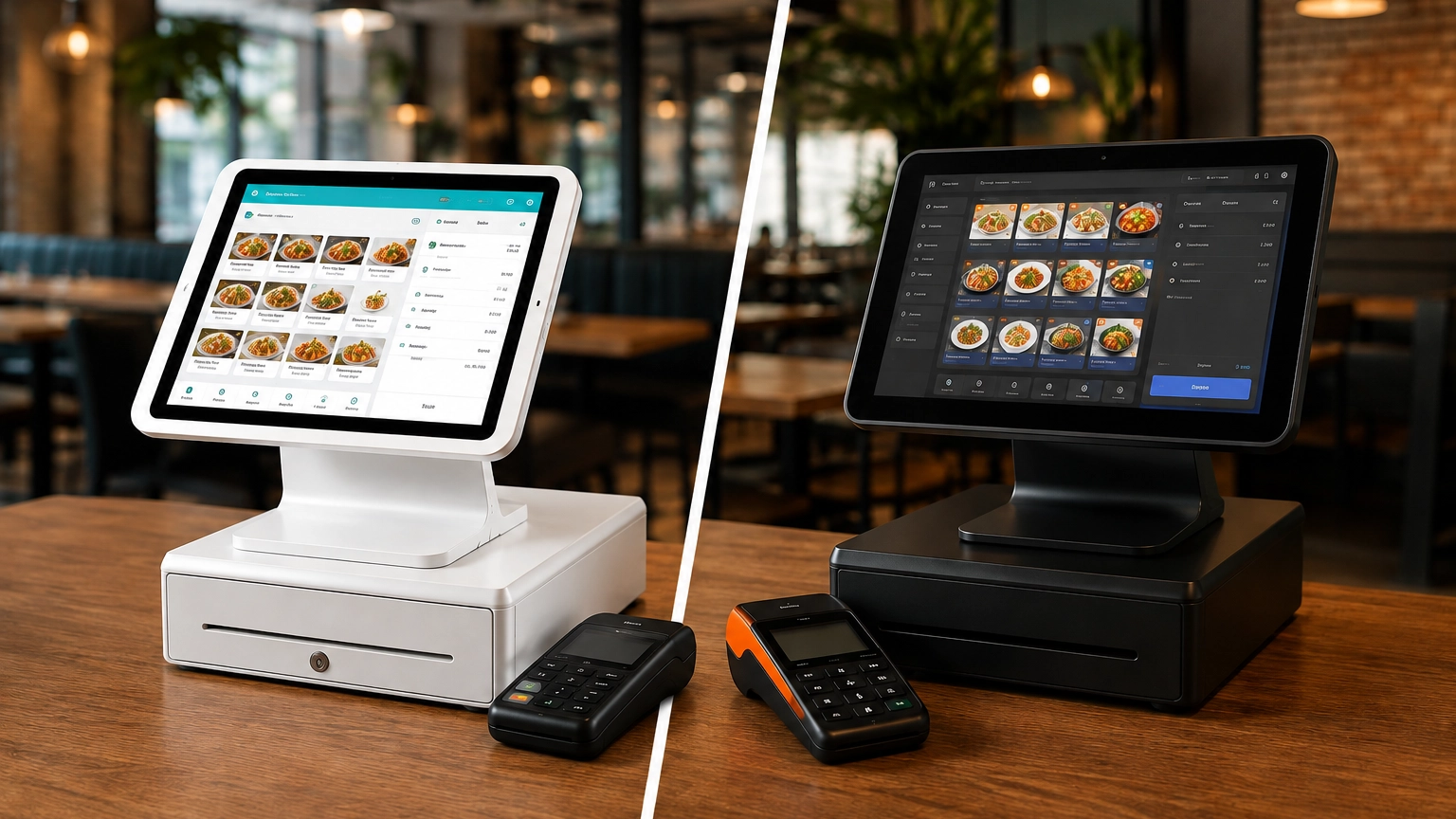
TouchBistro and Toast are both purpose-built restaurant POS systems, but they suit different restaurant operations. Toast
Last updated 26/08/2026
A POS system, or point-of-sale system, is the technology you use to process sales, accept payments, and manage transaction data. Modern POS solutions do more than just process payments. Depending on the system you choose, it may also manage inventory, staff, customer information, reporting, and online sales from a single platform.
POS systems are designed to fit multiple business types. A mobile business may only need a smartphone app and portable card reader, while a full-service restaurant may require multiple terminals, kitchen display systems, table management, and integrated payment processing.
No matter your business type or size, understanding how these systems work is the first step to comparing POS systems for your business.
A POS system (point-of-sale system) is the hardware, software, and payment technology used to process sales, accept payments, and manage transaction data. Depending on the system, features may also include inventory management, customer profiles, staff permissions, and sales reporting.
| POS Component | What It Does |
|---|---|
| POS software | Runs the checkout process, records sales, manages products or services, and provides reporting and business management tools. |
| POS hardware | Includes physical equipment such as card readers, POS terminals, registers, receipt printers, cash drawers, and barcode scanners. |
| Payment processing | Enables businesses to accept card payments, digital wallets, and other supported payment methods. |
| Inventory tools | Tracks products, stock levels, sales activity, and inventory changes in real time or near real time, depending on the system. |
| Reporting | Provides insights into sales performance, payment methods, revenue trends, and other key business metrics. |
| Customer tools | Stores customer profiles, purchase history, loyalty information, and other customer data where available. |
POS stands for point of sale, which is where you enter a transaction, calculate the total, and accept your customer’s payment.
Your system will look different depending on how you sell. Retail POS systems are often countertop terminals, while mobile POS systems are much more compact and able to process sales on the go. If you sell online, your point of sale is the checkout page on your website rather than a physical checkout counter.
Depending on the system you choose, it may also help you record sales, update inventory, and collect valuable business data.
While the point of sale may look different from one business to another, the goal is the same: helping you complete transactions quickly, securely, and accurately.
You’ll use your POS system according to your business type. For example, a retail store may need a barcode scanner, restaurants may want to route orders directly to the kitchen, while an online retailer may prioritize e-commerce integrations.
While the tools and features you use may vary, the basic sales process remains largely the same across all businesses and typically follows the steps below.
Once your customer has chosen a product or service, you enter it into your POS system. You may scan a barcode, search for an item, select from a menu, or enter it manually.
The POS system calculates the purchase total and automatically applies sales tax and any configured discounts, where applicable.
Your customer pays for their purchase. Depending on how you accept payments, this could be cash, a debit or credit card, a digital wallet, or another supported option.
If your customer pays electronically, the payment is securely authorized through your payment processor. Cash payments are also recorded through your POS system.
Once payment is complete, your POS system records the transaction and can generate a printed or digital receipt.
Depending on your POS system and how it’s configured, inventory levels, sales reports, and customer records may update automatically after each transaction.
Your POS system records transaction data, allowing you to review sales reports, monitor inventory, identify trends, and make more informed business decisions.
A POS system is made up of several components that work together to help you process sales and manage your business. Depending on how you sell, you may only need a few of these components or a more complete setup with additional tools and integrations.
POS software is the platform that powers your point-of-sale system. Depending on your provider and plan, your point-of-sale software may include tools for managing products and services, processing sales, tracking inventory, generating reports, managing staff accounts, storing customer information, and connecting with other business software.
For a more in-depth look at POS software tools, check out our dedicated POS system features guide.
POS hardware is the physical equipment that makes up your system. The hardware you need depends on how and where you sell. A mobile business may only need a smartphone and a portable card reader, while a busy retail store or restaurant may require multiple devices to support daily operations.
Depending on your provider and business needs, your POS hardware may include equipment such as card readers, payment terminals, registers, tablets, receipt printers, cash drawers, barcode scanners, kitchen display systems, and customer-facing displays.
Not every business needs every piece of hardware. The right setup for your business depends on your industry and how you sell.
Payment processing is the technology that securely authorizes and completes electronic payments, allowing you to accept cards, digital wallets, and other supported payment methods through your POS system.
Payment costs vary not only by provider but also by the type of payment itself. For example, in-person card transactions generally have lower processing fees than card-not-present payments, because they carry a lower fraud risk.
Depending on your provider, supported payment types include in-person card payments, contactless payments, digital wallets such as Apple Pay and Google Pay, online payments, and manually keyed transactions.
To learn more about payment costs, read our guide to POS system pricing.
Many POS solutions can automatically track your inventory as you make sales, helping you keep stock levels accurate without manually updating spreadsheets or inventory records. Depending on your system, you may be able to monitor stock levels, receive low-stock alerts, manage product variations, and identify your best-selling items, giving you greater visibility into what’s selling and when it’s time to reorder.
These tools are particularly valuable if you run a retail store, ecommerce business, café, bar, or restaurant, where keeping inventory up to date can help you avoid stock shortages and make more informed purchasing decisions.
Your POS solution records data from every transaction, giving you valuable insight into your business performance. Reporting and analytics tools help you understand what’s happening in your business by organizing your sales data into easy-to-read reports. Depending on your POS system, you may be able to monitor:
These reports make it easier to understand how your business is performing and identify ways to improve.
Many modern POS systems can connect with the other software you already use to run your business. These can help automate everyday tasks, reduce manual data entry, and help keep information synchronized across your business. Depending on your provider and plan, you may be able to integrate with:
Integrating these different platforms allows you to centralize your processes, reduce manual work, and help your business run more smoothly.
Although these terms are often used interchangeably, they’re actually very different from one another. A cash register is designed to record sales and store cash, while a card reader accepts electronic payments. A POS combines payment processing with business management software that helps you manage inventory, sales reporting, customer information, and other day-to-day business operations.
| System | What It Does | Best For |
|---|---|---|
| Cash register | Records sales and stores cash. | Basic in-store transactions. |
| Card reader | Accepts debit, credit card, and digital wallet payments. | Mobile businesses and businesses with simple payment needs. |
| POS system | Processes sales, accepts payments, and may help manage inventory, reporting, customers, and staff. | Businesses that want broader operational tools alongside payment processing. |
For a more in-depth look into the differences between these three devices, read our article explaining a POS system vs. cash register vs. card machine.
POS systems are not a one-size-fits-all solution and do not suit every business type. Some systems are designed for certain industries, like hospitality, or prioritize features geared toward online retailers. Understanding these differences can help you choose a system that matches your unique needs.
Retail POS systems are designed for retailers and product-based businesses. Alongside processing sales, they often include tools for inventory tracking, barcode scanning, returns, customer profiles, and syncing inventory across physical and online stores.
Restaurant POS systems are built specifically for hospitality businesses, including restaurants, cafés, bars, and quick-service establishments. Restaurant POS features may include table management, digital menus, tipping, kitchen display systems, online ordering, and order routing to help you manage both front-of-house and back-of-house operations.
Mobile POS systems are designed for businesses that sell on the move, such as food trucks, pop-up shops, market stalls, or on-site services. Often, these POS systems are paired with a smartphone or tablet and a portable card reader. Because they prioritize portability, they are more lightweight and easy to set up than traditional POS systems.
Cloud-based POS systems store your business data securely online rather than on a local server. This allows you to access sales reports, inventory, and other business information remotely from multiple devices with an internet connection. Many cloud-based systems will also automatically update, helping keep your POS software up to date without manual installation.
An ecommerce-integrated POS system connects your online and in-store sales channels through a single platform. This keeps inventory, sales, and customer information synchronized across your online and physical stores, reducing manual updates and creating a more consistent customer experience.
POS systems are versatile tools that are used across a range of different industries. Your required setup will depend on how you sell and any additional features you need to manage your business.
| Business Type | How a POS System Helps |
|---|---|
| Retail store | Processes checkout, tracks inventory, scans barcodes, manages returns, and provides sales reporting. |
| Restaurant | Manages orders, table service, kitchen tickets, payments, and tips. |
| Café | Supports fast counter service, menu management, payments, and sales reporting. |
| Bar | Handles tabs, tipping, drink sales, and quick payment processing. |
| Salon | Manages appointments, customer profiles, payments, and staff performance. |
| Mobile business | Accepts portable card payments and tracks sales from virtually anywhere. |
| Ecommerce retailer | Syncs online and in-store sales, inventory, and customer data. |
| Multi-location business | Centralizes reporting and lets you compare performance across multiple locations. |
A POS system does far more than just process payments. Depending on your setup, a POS system offers your business a range of other benefits, like those outlined below.
Faster Checkout: Features like barcode scanners, saved product catalogs, and integrated payment processing help to reduce manual steps and serve customers faster.
Easier Payment Acceptance: POS systems allow you to accept multiple payment methods, including cash, debit and credit cards, contactless payments, and digital wallets.
Better Sales Tracking: Every sale is automatically logged in your POS system, allowing you to quickly review revenue, transaction history, and sales trends.
Improved Inventory Management: Automatic inventory updates help you keep stock levels accurate, reduce manual inventory counts, prevent overselling, and know when to reorder items.
More Accurate Reporting: Built-in reporting tools allow you to review daily sales, identify your best-selling products, monitor payment methods, and spot trends to help make informed decisions.
Customer Insights: Many POS systems can store customer information and purchase history, helping you better understand buying habits. This information can support personalized service, loyalty programs, and targeted marketing.
Staff Accountability: Staff accounts and permission settings allow you to see who processed each transaction and monitor employee activity. This can improve accountability while giving managers better visibility into day-to-day operations.
Multi-Location Visibility: If you operate across multiple locations, some POS systems let you monitor sales, inventory, and business performance from a central dashboard. This makes it easier to compare sales, inventory, and business performance across every location.
Integration With Other Business Tools: Integration with accounting software, ecommerce platforms, payroll, marketing tools, and other business tools helps reduce duplicate data entry and keeps information synchronized across your business.
Reduced Manual Administration: Automating everyday tasks such as recording sales, updating inventory, generating reports, and syncing business data helps reduce manual administration, giving you more time to focus on growing your business.
Better Decision-Making: Rather than relying on guesswork, you can access accurate, up-to-date business information, making it easier to identify trends, monitor performance, and make informed decisions.
POS system costs vary depending on your provider, required features, and how your business operates. Some providers do offer free software plans, but your total costs may also include hardware, payment processing fees, setup, add-ons, and ongoing support.
When comparing providers, look beyond the monthly subscription fee and consider all associated costs. For example, you may opt for a cheaper software plan, but if the processing fees are higher than on a more expensive plan, this may cost you more in the long run.
To learn more about how much a POS system costs, read our dedicated POS pricing guide. You can also compare POS systems to understand the total cost of ownership.
There is no single “best POS system” for every business. Instead, find a system that fits your specific business needs. Before making a decision, consider the following factors:
If you’re looking for a more in-depth look at the topic, read our guide on how to choose a POS system.
There is a range of POS system providers, each with its own focus. Below are a few popular providers and the business type they’re best suited to.
| POS Provider | Typical Fit |
|---|---|
| Square | Small businesses looking for a simple, all-around POS solution. |
| Clover | Businesses that want flexible hardware options and an app ecosystem to customize their POS system. |
| Toast | Restaurants, cafés, bars, and other food service businesses. |
| Shopify POS | Retailers that sell both in-store and online through an integrated ecommerce platform. |
| Lightspeed | Retail and hospitality businesses with more advanced inventory and operational requirements. |
| TouchBistro | Restaurants that need features such as table management and order routing. |
| SumUp | Smaller businesses and mobile sellers looking for a simple payment-led POS solution. |
A POS system is the combination of hardware, software, and payment technology you use to process sales, accept payments, and manage your day-to-day business operations. Many modern systems may also track inventory, monitor sales performance, manage customer information, oversee staff, and integrate with other tools.
Remember, the best POS system isn’t the one with the most features; it’s the one that best suits the way you do business. Regardless of your industry, finding a system that supports how you operate can help you work more efficiently and make more informed decisions.
Ready to take the next step? Start comparing POS systems and find the right one for your business.
A POS (point-of-sale) system is the combination of software, hardware, and payment technology you use to process sales, accept payments, and manage transaction data. Depending on the provider, it may also help you manage inventory, customer information, reporting, staff, and other day-to-day business operations.
POS stands for point of sale, which is where a customer completes a purchase. This could be a checkout counter in a retail store, a restaurant terminal, an online checkout page, or a mobile card reader used by businesses on the go.
A POS system records the items or services being purchased, calculates the total, processes the payment, and records the transaction. Depending on the system, it may also update inventory, generate reports, issue receipts, and store customer information automatically after each sale.
A cash register is primarily designed to record sales and store cash. A POS system does much more by helping you process payments, manage inventory, generate reports, track customer information, and connect with other business software through integrations.
If you want to accept payments, track sales, manage inventory, reduce manual administration, or better understand your business performance, a POS system can be a valuable investment. Many providers offer solutions designed specifically for small businesses with different budgets and operational needs.
The equipment you need depends on your business. Common POS hardware includes a card reader, payment terminal, tablet or register, receipt printer, cash drawer, and barcode scanner. Restaurants may also use kitchen display systems, while mobile businesses often only require a smartphone and a portable card reader.
No. POS systems are used by retailers, restaurants, cafés, bars, salons, mobile businesses, ecommerce retailers, and companies operating across multiple locations. Different POS systems are designed to support different industries, so the features available vary depending on the provider and plan.
POS system costs vary depending on the software, hardware, payment processing fees, setup requirements, support, and optional add-ons you choose. To learn more, read our guide on how much a POS system costs or compare POS system pricing to understand the costs associated with different providers.
TouchBistro and Toast are both purpose-built restaurant POS systems, but they suit different restaurant operations. Toast
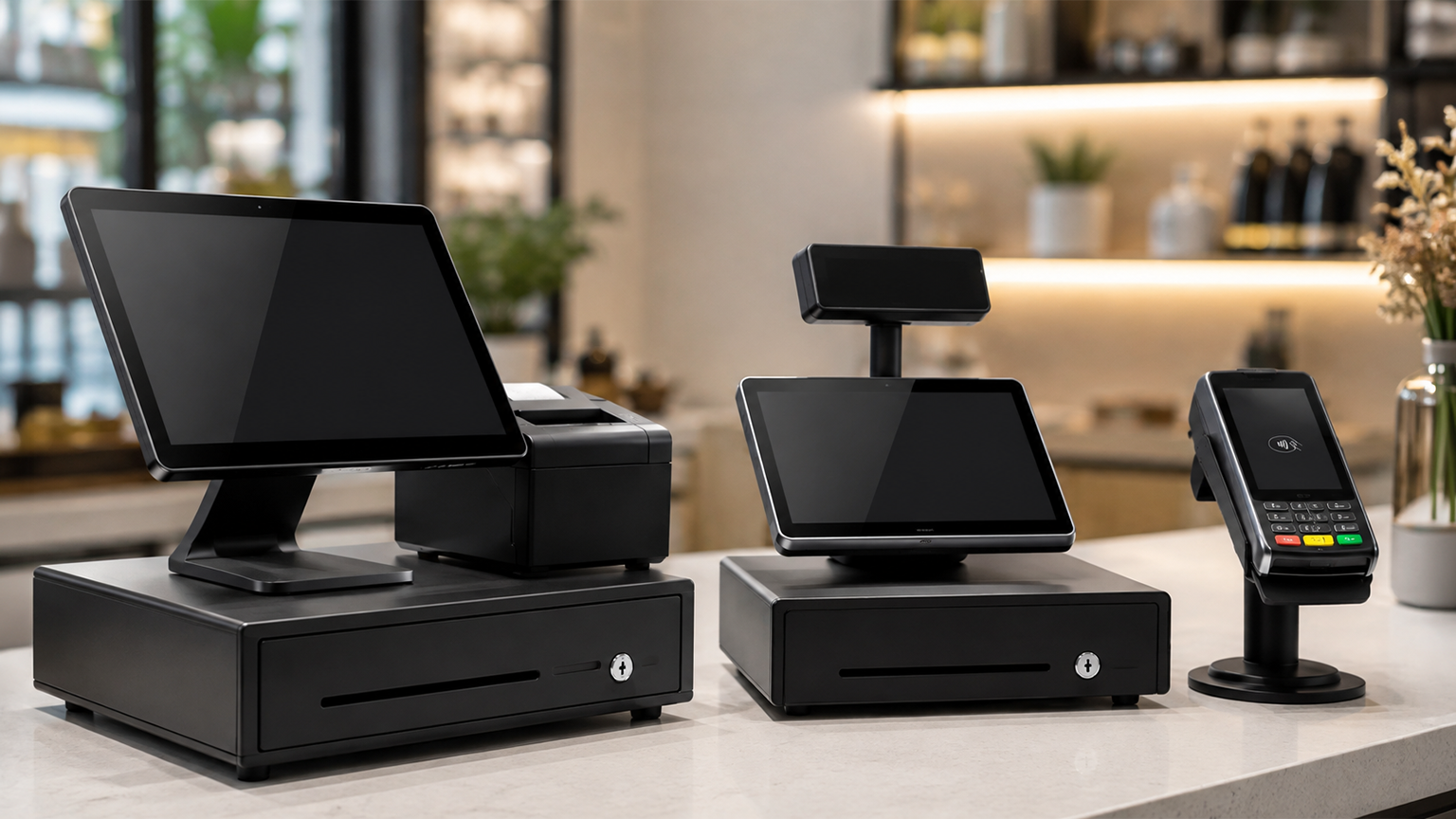
Although POS systems, cash registers, and credit card machines all help you accept payments at checkout,
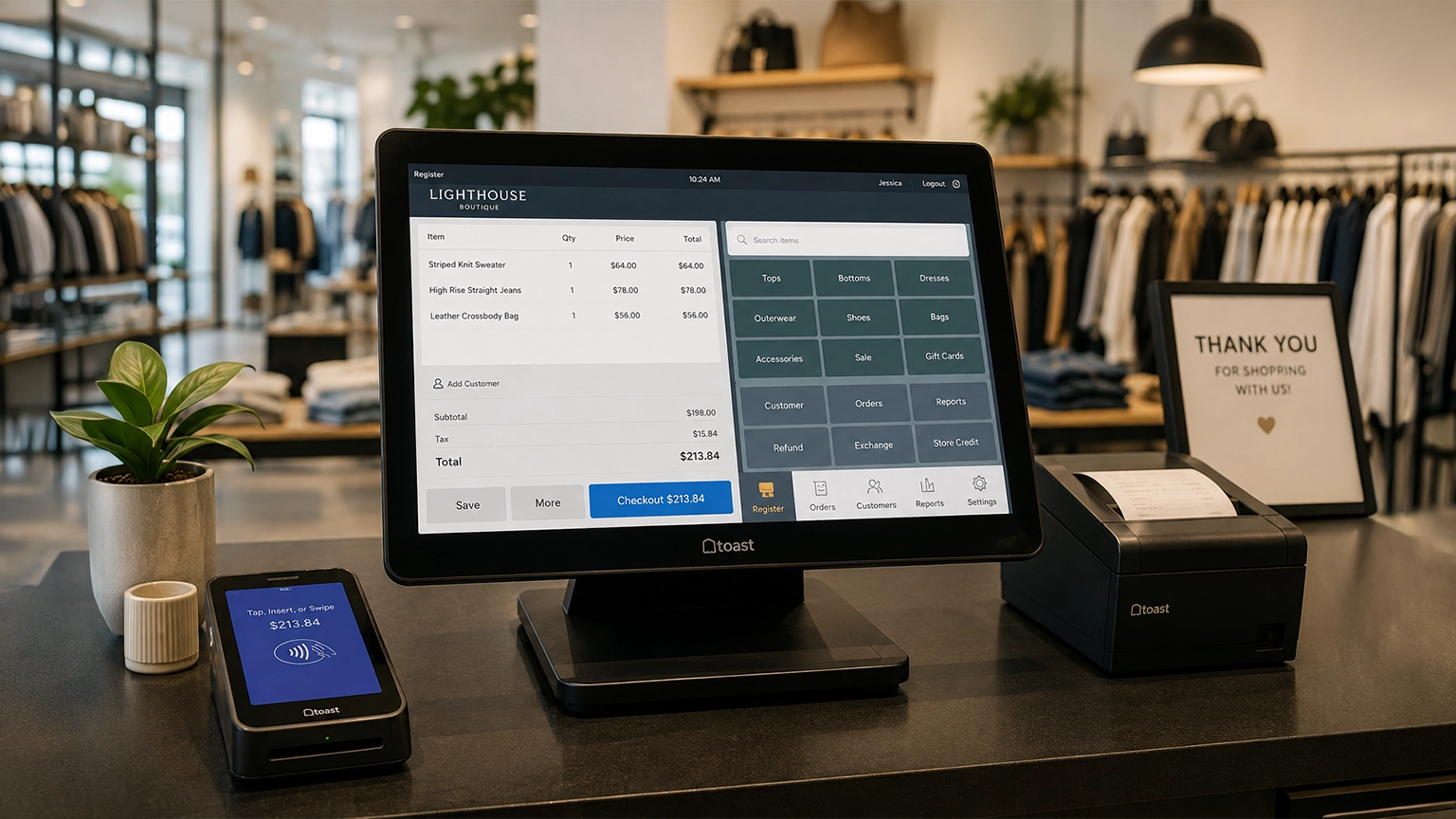
Retail POS systems do much more than process payments. Depending on your provider and plan, they