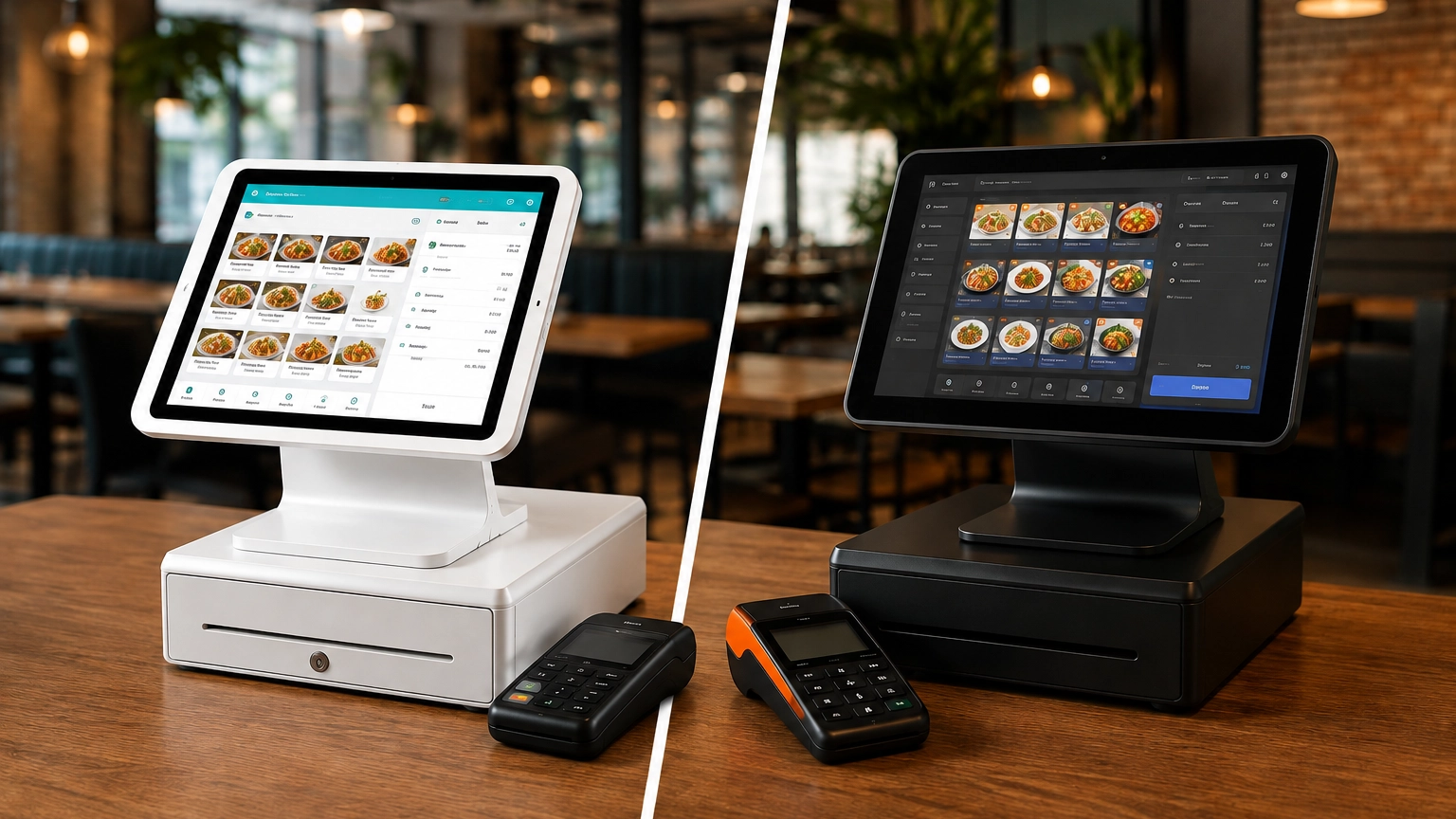
TouchBistro vs Toast: Which Is Better for Restaurants?
TouchBistro and Toast are both purpose-built restaurant POS systems, but they suit different restaurant operations. Toast
Last updated 26/08/2026
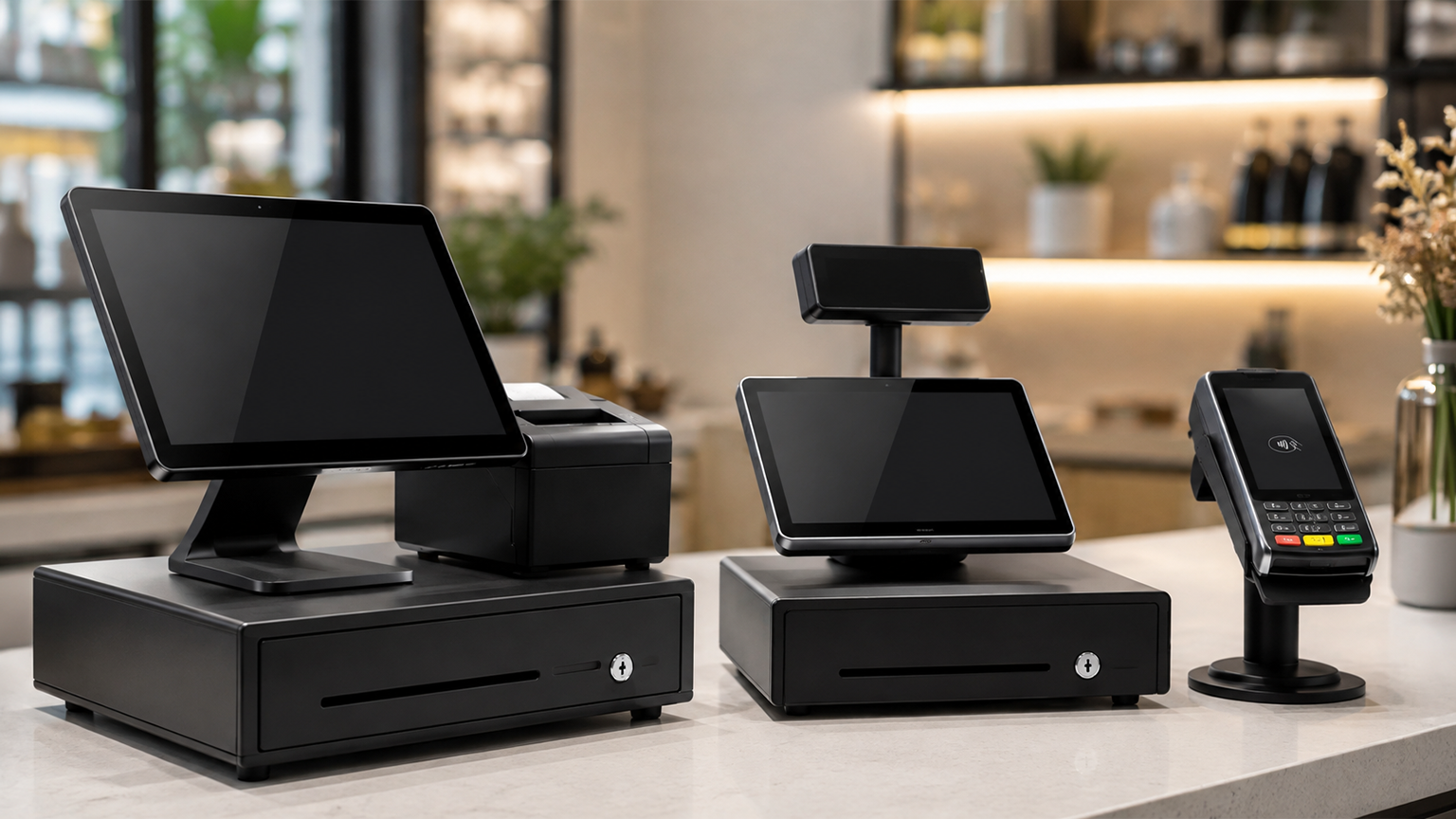
Although POS systems, cash registers, and credit card machines all help you accept payments at checkout, they each serve different purposes. A cash register records sales and stores cash, a credit card machine accepts card and contactless payments, and a POS system combines payments with inventory management, sales reporting, customer tools, and other features that help you run your business.
The device you need depends on how you sell, the payment methods you accept, the level of sales data you require, and your growth plans. For some businesses, a simple cash register may be enough. But for others, a POS system with specialized hardware, industry-specific features, and support for multiple devices may be the better choice.
If you’re still weighing your options, you can compare POS systems for your business to see how different solutions meet the needs of retailers, restaurants, cafés, service businesses, and other industries.
A cash register is best if you only need to record sales and handle cash, a credit card machine is best if your priority is accepting card and contactless payments, and a POS system is the right choice if you need payments, inventory management, sales reporting, customer tools, and other features to help run your business.
| Option | Main Purpose | Best For | Key Limitation |
|---|---|---|---|
| Cash Register | Records basic sales and stores cash | Very simple in-store businesses | Limited reporting, payment, and inventory tools |
| Credit Card Machine | Accepts card and contactless payments | Businesses that mainly need card acceptance | Does not usually manage wider business operations |
| POS System | Combines sales, payments, inventory, reporting, and business management tools | Retail stores, restaurants, cafés, service businesses, and growing businesses | May cost more and require setup than a basic register or card reader |
A cash register is a checkout device that records sales, stores cash, prints receipts, and calculates basic sales totals. It is designed to handle simple, everyday transactions and cash management rather than offer advanced business management tools.
Some electronic cash registers provide basic sales reports, but don’t include features such as real-time inventory tracking, customer profiles, detailed reporting, or integrations with accounting and ecommerce software.
That’s not to say that a cash register isn’t useful. If you run a small, cash-heavy business or market stall with simple transactions and a limited inventory, then a cash register may be more than enough. If you need greater visibility into sales, inventory, staff performance, or customer data, then you’ll benefit more from a POS system.
A credit card machine, also called a card reader or payment terminal, is a device that accepts card and digital payments. Typically, it can process credit and debit cards, contactless payments, digital wallets such as Apple Pay and Google Pay, and chip card transactions. Once a payment is accepted, the device automatically communicates with a payment processor to authorize transactions and provide a receipt.
On its own, a credit card machine can accept payments, but it won’t help run your business. If it’s connected to a POS system, it can track inventory, record detailed sales data, manage customer information, and provide comprehensive business reporting.
A standalone credit card machine can be a practical choice for mobile sellers, contractors, and other service businesses, small cafés, pop-up shops, or businesses that have an existing checkout system and simply need a way to accept card payments.
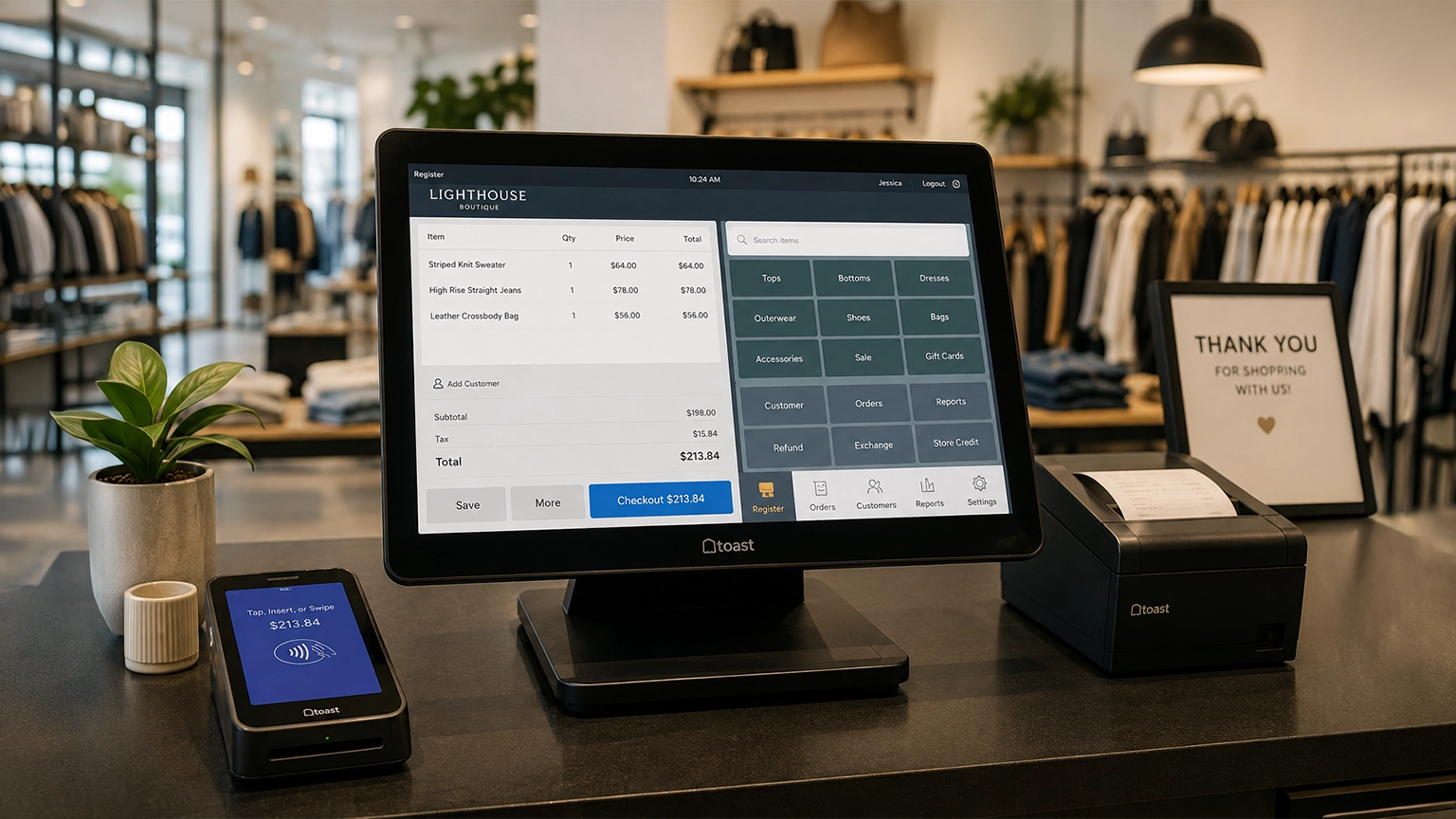
A POS (Point of Sale) system combines hardware, software, and payment processing to manage transactions and business operations. Depending on the provider and package, a POS configuration can include:
Unlike a standalone cash register or credit card machine, a POS terminal offers deeper reporting by monitoring stock levels, tracking sales performance, managing employees, and connecting with accounting, ecommerce, CRM, and other business systems. POS systems range from simple app-based solutions to advanced platforms designed for retailers, restaurants, cafés, and multi-location businesses.
To learn more, read our guide where we explain what a POS system is and how it works.
While cash registers and POS systems both record sales and complete transactions, they differ in the amount of business information they store and provide. A cash register assists with cash handling and records basic sales numbers, whereas a POS system helps you manage sales, inventory, staff, customers, and other day-to-day operations from a single platform.
| Feature | Cash Register | POS System |
|---|---|---|
| Records sales | Yes | Yes |
| Accepts card payments | Usually requires a separate credit card machine | Usually integrated or connected |
| Tracks inventory | Limited or none | Often included |
| Sales reporting | Basic daily totals | Detailed reports and analytics |
| Customer profiles | No | Often available |
| Staff permissions | Limited | Often available |
| Multi-location management | Not typically supported | Often available |
| Integrations | Limited | Common |
| Cost | Lower upfront cost | Higher upfront or ongoing costs, depending on the provider |
| Scalability | Best for businesses with simple needs | Designed to grow with your business |
| Best for | Very simple businesses | Businesses needing operational and management tools |
Whether your business requires a cash register or a POS system depends largely on your needs. If you only need to record sales, handle cash, and print receipts, then a cash register may be all you need. However, as your business grows, manually tracking these tasks can begin to eat into your day.
A POS system offers a more complete view of your business, combining payments with inventory management, reporting, customer information, staff permissions, and integrations with other software. If you want greater control over your stock, reporting, staff performance, and multi-location capabilities, a POS system is likely a better fit.
A POS system manages the entire sale, while a credit card machine accepts the payment at checkout. Although both can accept payments, a POS system typically records what was sold, updates inventory, and generates reports. A payment terminal does not record this level of data and simply processes the payment.
| Feature | Credit Card Machine | POS System |
|---|---|---|
| Accepts card payments | Yes | Yes, usually through integrated payment processing |
| Records full sale details | Limited | Yes |
| Product or service selection | Limited | Yes |
| Tracks inventory | No | Often included |
| Provides receipts | Yes | Yes |
| Sales reporting | Payment-focused only | Broader business reporting |
| Customer profiles | No or limited | Often available |
| Integrations | Limited | Common |
| Supports industry workflows | Limited | Often available |
| Best for | Simple card payments | Full sales and operations management |
A standalone credit card machine accepts the payment, authorizes it, and creates a receipt. A POS system records what was sold, who completed the sale, when it happened, how the customer paid, and can even update inventory automatically. A POS system offers a level of business insights that a payment terminal does not.
Yes, many businesses use a cash register alongside a separate credit card machine. In this setup, the cash register records the sale and stores cash, while the credit card terminal processes debit and credit card payments through a payment processor.
This combination can work well for businesses with straightforward transactions and minimal reporting requirements. However, you will often have to reconcile sales and card payments separately. If you have to enter card payments manually into the cash register, it increases the risk of human error, and end-of-day reconciliation takes longer.
Without a POS system, you won’t benefit from inventory tracking, reporting, and customer management functionality, which may be essential for businesses managing inventory, multiple employees, or higher sales volumes.
A cash register may be enough if your checkout process is straightforward and you don’t need advanced business management tools. If you’re looking for an affordable and reliable way to record sales and handle cash transactions, then a cash register is a solid option.
A cash register may be the right choice if you:
However, as your business grows, you may require more advanced functionality. If you need to accept card payments, more in-depth reports, accurate inventory management, or want to connect to other business software, a POS system offers the flexibility to manage these tasks from a single platform.
A credit card machine may be enough if you need to accept electronic payments, rather than managing your wider business operations. If you don’t need to track inventory or require detailed business-wide reporting, then a card machine may be the right fit.
A standalone card reader or payment terminal may be the right fit if you:
This setup works well for smaller, mobile businesses like mobile hairstylists, market sellers, sole proprietors, contractors, pop-up shops, and other small service businesses.
Payment-focused providers such as Square and SumUp also offer simple card acceptance solutions that may suit these types of businesses, although the available features vary depending on the hardware and software you choose.
A full POS system is usually the better choice when you need more than just a way to process payments. Combining payment processing with inventory management, reporting, customer information, and other business tools gives you greater visibility and control over your day-to-day operations.
A full POS system may be the right fit if you need to:
To learn more about this POS functionality, read our guide to POS system features. When choosing a POS system for your business, remember that features vary between providers, so focus on the tools you’ll use every day rather than paying for functionality you don’t need.
The best choice depends on how you do business. While a cash register or credit card machine may be enough for businesses with straightforward checkout needs, a POS system may offer more value if you need inventory management, reporting, or industry-specific features.
| Business Type | Best Fit | Why |
|---|---|---|
| Mobile business | Card reader or simple POS | Portable with minimal hardware requirements |
| Pop-up seller | Card reader or simple POS | Easy to set up, transport, and accept payments |
| Small retail store | POS system | Inventory management, barcode scanning, and sales reporting |
| Restaurant | POS system | Menu management, table service, tipping, and kitchen workflows |
| Café | POS system or simple POS | Fast checkout, menu buttons, and integrated payments |
| Bar | POS system | Tab management, tipping, and high-volume transactions |
| Salon | POS system | Customer profiles, staff management, and appointment scheduling |
| Very small cash-heavy business | Cash register or POS | Basic sales recording and cash handling |
| Multi-location business | POS system | Centralized reporting, inventory, and location management |
The cost of your checkout setup depends on the hardware, software, and payment processing you need. Cash registers and standalone credit card machines typically have lower upfront costs, but a POS system has more functionality and can provide greater long-term value.
Cash Register: Typically involves purchasing the register itself, ongoing receipt paper, and little or no software costs. To also accept card payments, you will need to add a payment terminal.
Credit Card Machine: Costs generally include the card reader or payment terminal, payment processing fees, and, depending on the provider, monthly service or account fees. Standalone terminals usually offer limited business management features.
POS System: Costs can include software subscriptions, hardware, payment processing, optional add-ons, onboarding or support, and industry-specific features. While the investment is often higher, a POS system may help save time and improve efficiency by combining payments, inventory, reporting, and other business tools in one platform.
If you’d like to explore costs in more detail, read our guides on how much a POS system costs, POS system pricing, or compare POS system pricing across different providers.
The right checkout solution depends on the features your business needs today and the functionality you’ll rely on as it grows. Below is a list of questions you can ask yourself to help guide your choice.
If you answered “yes” to several of these questions, particularly those about inventory management, reporting, customer records, online selling, or managing multiple locations, then a POS system may be the right choice.
If you’re ready to take the next step, compare POS systems with Commercial Experts and find the right solution for your business.
Whether you need a cash register, credit card machine, or POS system ultimately comes down to how your business operates and the features you need.
To record basic sales and handle cash, a cash register may be enough. If you only need to accept electronic payments, then a credit card reader may fit your needs. However, if you need inventory management, sales reporting, customer information, staff permissions, integrations, or room to grow, a POS system is likely to deliver the greatest long-term value.
While a basic cash register or payment terminal may suit some businesses, many modern small businesses should consider a POS system before making a decision. The additional insights offered, automation, and operational tools can improve efficiency and support your business as it grows.
Ready to find the right solution? Compare POS systems and payment options for your business.
A cash register records basic sales, stores cash, and prints receipts. A POS system does much more by combining payment processing with inventory management, sales reporting, customer information, staff permissions, and other business tools to help you manage your day-to-day operations.
No. A credit card machine accepts card and contactless payments, while a POS system manages the entire sale. Depending on the provider, it can also track inventory, generate reports, manage customer information, and integrate with other business software.
Yes. Many businesses use a cash register alongside a separate credit card machine. However, unless the payment terminal integrates with a POS system, you may need to reconcile card and cash payments separately or manually enter transaction details, increasing the risk of errors.
Not always. If you only need to record basic sales or accept payments, a cash register or card reader may be enough. However, if you want inventory management, detailed reporting, customer tools, or the ability to connect online and in-store sales, a POS system is likely the better choice.
It depends on your business needs. A cash register may be enough for straightforward sales and cash handling, while a POS system is better suited to businesses that need inventory management, reporting, staff permissions, integrated payments, or room to grow.
A card reader may be enough for businesses with simple payment needs, such as market sellers, mobile service providers, or sole proprietors. However, businesses that need inventory tracking, reporting, customer management, or industry-specific features will usually benefit from a full POS system.
A cash register or standalone card machine typically has lower upfront costs than a POS system. However, if you need inventory management, sales reporting, customer tools, or integrated business software, a POS system may provide better long-term value despite the higher initial investment.
Restaurants and retail stores usually benefit from a POS system because they often need industry-specific features such as menu management, table service, barcode scanning, inventory tracking, detailed reporting, and integrated payment processing. These tools help improve efficiency while supporting day-to-day operations and future growth.
TouchBistro and Toast are both purpose-built restaurant POS systems, but they suit different restaurant operations. Toast
Although POS systems, cash registers, and credit card machines all help you accept payments at checkout,
Retail POS systems do much more than process payments. Depending on your provider and plan, they