
TouchBistro vs Toast: Which Is Better for Restaurants?
TouchBistro and Toast are both purpose-built restaurant POS systems, but they suit different restaurant operations. Toast
Last updated 26/08/2026
TouchBistro and Toast are both purpose-built restaurant POS systems, but they suit different restaurant operations. Toast offers a broader range of restaurant management tools, while TouchBistro focuses on restaurant workflows such as table service and front-of-house management. Both systems offer core POS functionality like payments, reporting, and menu management, integrations, and online ordering.
Although there is no objective best restaurant POS system, the right choice ultimately depends on your restaurant’s service model, budget, and long-term operational needs.
Toast is a restaurant POS that offers a range of hospitality tools with integrated payments, online ordering, handheld devices, and multi-location management. If you’re looking for a platform with a strong focus on table service, floor management, and front-of-house operations, TouchBistro may be the better fit.
The right platform depends on your restaurant’s service model, hardware preferences, required integrations, and long-term growth plans.
| Provider | Best For | Main Strength | Potential Limitation |
|---|---|---|---|
| Toast | Restaurants needing broad food-service workflows and growth tools | Comprehensive restaurant technology ecosystem with integrated hospitality tools | Less relevant outside food service, and pricing varies by package, hardware, and payment processing |
| TouchBistro | Restaurants wanting a dedicated restaurant POS with front-of-house tools | Hospitality-first platform with strong table-service and restaurant management capabilities | Some advanced features and integrations depend on your chosen plan and business requirements |

TouchBistro is a restaurant-first POS platform built specifically for hospitality businesses. TouchBistro is well suited to full-service restaurants, cafés, bars, and other food-service businesses that prioritize front-of-house management and table-service workflows. Depending on your plan, TouchBistro features include floor and table management, menu management, staff scheduling, reporting, and kitchen operations.
For a more in-depth look, read our TouchBistro POS guide.

Toast is another restaurant-focused POS platform that supports cafés and quick-service restaurants to full-service and multi-location operations. Alongside core POS functionality, Toast can also support online ordering, kitchen display systems, handheld ordering devices, integrated payments, reporting, and restaurant management tools. Toast is a strong choice for restaurants looking for online ordering, kitchen operations, integrated payments, and other restaurant management tools.
You can explore the platform in more detail in our Toast POS guide.
Both TouchBistro and Toast offer a range of restaurant-specific tools, but they differ in what they are designed to support. TouchBistro focuses more on hospitality and front-of-house workflows, while Toast offers multiple restaurant management tools that support ordering, payments, kitchen operations, and multi-location management. Below is a table that compares the core functionality of both platforms.
| Feature | TouchBistro | Toast |
|---|---|---|
| Restaurant focus | Strong restaurant and hospitality focus | Strong restaurant and hospitality focus |
| Full-service restaurant fit | Strong | Strong |
| Quick-service restaurant fit | Strong, depending on workflow requirements | Strong, depending on package |
| Table management | Drag-and-drop floor plans, real-time table monitoring and table transfers | Toast Tables supports reservations, waitlists, and table management |
| Menu management | Menu Management with remote menu updates | Menu Builder with channel-specific menu controls |
| Kitchen Display System | Dedicated Kitchen Display System available | Dedicated Kitchen Display System available, depending on package |
| Online ordering | Commission-free online ordering available through TB Dine | Commission-free online ordering available, depending on package |
| Handheld ordering | Tableside ordering on compatible iPads | Toast Go handheld devices |
| Reporting | 50+ real-time cloud reports | Real-time reporting and operational insights |
| Payment processing | TouchBistro Payments or supported third-party processors | Integrated Toast Payments (plan-dependent) |
| Multi-location support | Dedicated Multi-Unit POS with centralised management | Multi-location management for growing restaurant groups |
| Best fit | Restaurants wanting a dedicated hospitality POS with strong front-of-house tools | Restaurants wanting a broader restaurant technology ecosystem |
TouchBistro offers drag-and-drop floor plans, real-time table monitoring, table transfers, tableside ordering, split bills, tipping, and staff permissions. These allow staff to manage busy dining rooms, give managers greater visibility over service, and help staff manage table service more efficiently. Kitchen Display System integration and configurable menus ensure orders reach the kitchen accurately while reporting tools provide insights into sales, staff performance, and sales trends.
Toast Tables supports reservations, waitlists, and table management, while Toast Go handheld devices enable tableside ordering and payment processing. Its Kitchen Display System, integrated payments, online ordering, and reporting tools allow restaurants to manage both front-of-house and back-of-house operations from a single platform. If you operate multiple locations, or plan to expand in the future, Toast offers management tools designed to support multi-location restaurant operations.
Although both platforms are well-suited to full-service restaurants, if you want a system that supports dining room operations and hospitality workflows, then TouchBistro may be your preferred option. Toast may be the better fit if you want a system that combines POS, payments, online ordering, kitchen operations, and restaurant management tools.
TouchBistro’s Quick Service POS is designed to process orders quickly through customizable menus, intuitive ordering screens, and efficient staff workflows. You can manage menus, route orders to the kitchen, accept digital payments, and monitor business performance through built-in reporting. Online ordering and Kitchen Display Systems also centralize multiple ordering channels.
Toast also offers a Quick Service POS configuration built for high-volume service. Fast order entry, customizable menus, Toast Go handheld devices, Kitchen Display Systems, online ordering and integrated payments help you serve customers using in-store, pickup and other ordering channels. Reporting provides visibility into sales, staff and operational performance.
If you’re looking for a hospitality-focused POS with quick service capabilities, TouchBistro may be a strong fit, while businesses that prioritize integrated ordering, kitchen workflows and managing multiple sales channels may prefer Toast.
TouchBistro doesn’t offer a dedicated café POS solution, but its core restaurant POS functionality meets the needs of bars and cafés. Fast order entry, menu management, integrated payments, tipping, and reporting help manage queues efficiently, while also providing table-service capabilities for cafés that need them. TouchBistro also offers a dedicated Bar POS configuration supporting busy service periods with tab management, split bills, tipping, staff permissions, floor plans, and reporting.
Toast provides dedicated configurations for both cafés and bars. Its Café & Bakery POS supports fast checkout, customizable menus, integrated payments, online ordering and reporting, facilitating sales across the counter, online or through pickup. Bar-specific features support staff with tab management, Toast Go handheld devices, integrated payments, reporting, and a Kitchen Display System.
For cafés and bars seeking integrated online ordering, payments, and kitchen operations, Toast may be the preferred option. If you’re looking for hospitality-focused features including tableside ordering, then TouchBistro may be better suited.
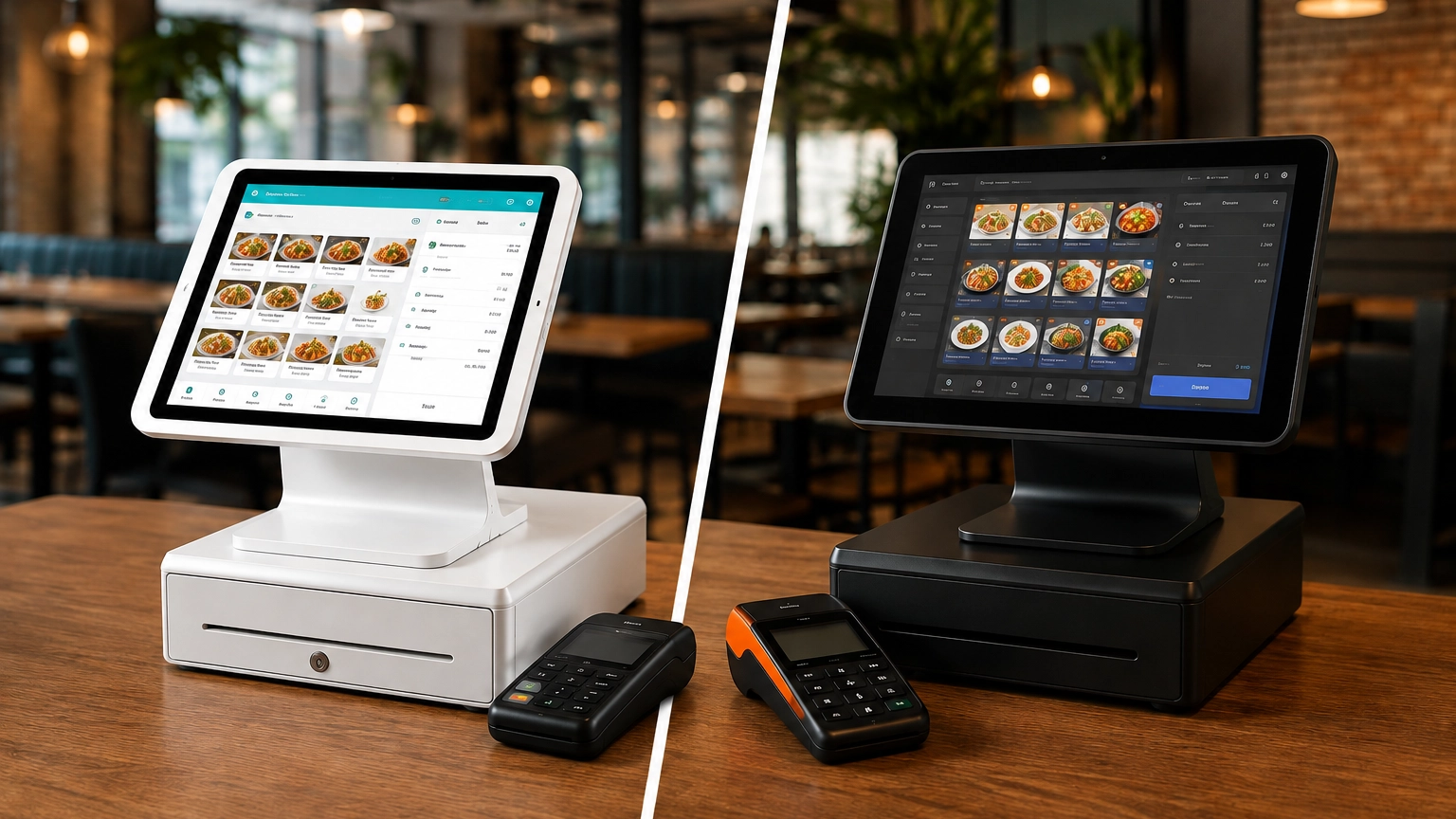
Hardware is one of the biggest differences between the approach taken by TouchBistro and Toast. TouchBistro runs exclusively on Apple iPads, while Toast is built around its own Android hardware. This difference can influence hardware cost, compatibility, and your long-term growth plans.
TouchBistro supports a range of compatible hardware, including receipt printers, cash drawers, Kitchen Display Systems, customer-facing displays, and tableside ordering. If you already use a compatible iPad, adopting TouchBistro may be more straightforward. If you plan to use existing hardware, confirm compatibility with TouchBistro before making a purchase.
Toast uses proprietary Android-based hardware designed specifically for the Toast platform. Additional hardware includes countertop terminals, handheld devices, Kitchen Display Systems, customer-facing displays, receipt printers and cash drawers.
Before choosing either platform, always confirm:
If you already rely on Apple devices or want flexibility around compatible hardware, TouchBistro may be a better fit. If you’re looking for a fully integrated hardware and software platform, you may prefer Toast.
TouchBistro Payments is an integrated payment solution that accepts card-present and online payments from within TouchBistro POS systems. You can also select compatible, third-party processors such as Chase and TSYS. Tipping, transaction reporting, and payment management are also payment features offered by TouchBistro.
Toast includes Toast Payments as its integrated payment solution, allowing restaurants to process in-person and online payments while managing tips, reporting, and payment activity through the Toast platform. Toast Payments is integrated into Toast’s platform, meaning that you are unable to use third-party payment processors with Toast POS systems. Before choosing a provider, confirm the payment processing terms, supported payment methods, and any package-specific requirements.
Before making a decision, confirm:
If you’re comparing providers, review our guide to POS payment processing fees to better understand how processing costs can affect the total cost of your POS system.
TouchBistro offers multiple pricing options, with the overall cost depending on your chosen plan and required features. You may also require POS terminals, Kitchen Display Systems, handheld ordering devices, online ordering tools, payment processing, and optional add-ons. Before purchasing, confirm what is included in your plan, what requires an additional fee, and whether onboarding or implementation support is available.
Toast also offers a range of pricing packages, with total costs varying based on the software package, hardware selected, and any additional products or services added to the platform. Review what hardware is included, which features require add-ons, how payment processing fits into the overall package, and any applicable contract terms before making a decision.
Always consider all costs, including:
If you’re comparing providers, our guides to restaurant POS pricing, how much a POS system costs, and POS pricing explained explain the factors that influence the total cost of a restaurant POS system. Looking beyond the monthly subscription will help you make a more informed decision.
Both TouchBistro and Toast have strengths and limitations that make them better suited to different restaurant operations. Finding the right POS system depends on your service model, operational requirements, and long-term goals, rather than searching for a single best POS system.
| Pros | Cons |
|---|---|
| Built specifically for restaurants rather than general retail businesses. | Some features may require additional hardware, integrations or paid add-ons. |
| Ideal for hospitality-focused workflows, particularly table-service operations. | Not suited to non-hospitality businesses. |
| Designed to support both front and back-of-house food-service operations. | |
| Offers a range of restaurant-specific solutions and integrations to support different service models. |
| Pros | Cons |
|---|---|
| Built specifically for restaurants and food-service businesses. | Features are determined by plan and may require a higher-priced subscription to access the functionality you need. |
| Offers a range of restaurant-focused hardware and software to support different food-service setups. | The total cost of ownership may include software, hardware, payment processing, and optional add-ons, so it's important to compare the complete solution rather than the advertised monthly price. |
| Suitable for restaurants looking to combine POS software with online ordering, kitchen operations, and other restaurant tools, depending on the products selected. | Although Toast offers a retail configuration, it remains a restaurant-first platform. |
| Can meet the needs of both independent operators and multi-location restaurant businesses. |
| Restaurant Type | Better Fit | Why |
|---|---|---|
| Full-service restaurant | TouchBistro or Toast | Both platforms offer features designed to support table-service workflows, including dining room operations and front-of-house management. |
| Quick-service restaurant | Toast or TouchBistro | Both offer solutions for quick-service restaurants. Compare online ordering, kitchen workflows and operational features based on your requirements. |
| Café | TouchBistro or Toast | The better choice depends on checkout speed, menu complexity, ordering workflows and your overall budget. |
| Bar | TouchBistro or Toast | Compare features such as tab management, tipping, payment workflows and overall suitability for your service style. |
| Multi-location restaurant | Toast or another advanced restaurant POS | Compare reporting, location management, operational controls, and support for managing multiple sites. |
| Small independent restaurant | TouchBistro or Toast | Compare the total cost of ownership, required hardware, and the features you'll actually use. |
| Food truck | Consider simpler POS options as well, such as Square | Depending on your operational needs, TouchBistro or Toast may provide more functionality than a smaller mobile operation requires. |
TouchBistro or Toast may not be the right fit for your business. Multiple other POS providers may better suit your needs. Depending on your size, budget, and operational requirements, you may also want to compare these alternatives before making a final decision.
Square for Restaurants: Smaller cafés, quick-service restaurants, and businesses looking for a simple-to-set-up and use platform.
Clover: Restaurants wanting flexible hardware options and access to a wide range of apps and integrations.
Lavu: Restaurants comparing hospitality-focused POS systems with restaurant-specific features.
Lightspeed Restaurant: Growing restaurants, multi-location operators, and hospitality businesses with more advanced inventory requirements.
SumUp: Very small food-service businesses needing payment processing rather than a POS system.
TouchBistro and Toast are both purpose-built restaurant POS systems, but they’re designed to support different operational priorities. Neither platform is objectively better than the other; instead, assess which system is better suited to your business needs.
TouchBistro is well suited to restaurants looking for a hospitality-focused POS with tools designed to support table-service operations and day-to-day restaurant management. This makes it a strong choice if you’re looking for a system with restaurant-specific functionality, built around front-of-house workflows.
Toast offers a broad range of products that support food-service businesses, making it a strong option for restaurants looking for a more customizable POS solution. Evaluate the software, hardware, and additional products to determine the true cost of ownership.
If you’re still weighing your options, you can compare TouchBistro, Toast, and other restaurant POS systems with Commercial Experts.
TouchBistro may be better for restaurants that prioritize table-service operations, dining room management and hospitality-focused workflows. Toast may be a better choice for restaurants looking for online ordering, kitchen operations and additional restaurant management tools. The best option depends on your restaurant’s needs.
Toast may be better for restaurants that need online ordering, kitchen workflows, or tools to support business growth, depending on the products selected. TouchBistro remains a strong choice for restaurants focused on front-of-house operations and table-service management. The right POS depends on your operational requirements.
Both TouchBistro and Toast may be suitable for small restaurants. Compare the total cost of ownership, hardware, payment processing, table management, online ordering, support, and the features your restaurant requires before choosing.
Both TouchBistro and Toast offer solutions for quick-service restaurants. Toast may be a strong option if online ordering, fast service, and kitchen workflows are priorities, while TouchBistro also offers a Quick Service POS. Compare the features included with each platform to determine the best fit.
Neither platform is consistently cheaper. The total cost depends on software, hardware, payment processing, add-ons, and contract terms. Compare the overall cost of ownership rather than just the monthly subscription price.
Yes. Both TouchBistro and Toast support table-service workflows. The available features may vary depending on the products, plans, or packages selected, so compare the capabilities that matter most to your restaurant.
Popular alternatives include Square for Restaurants, Clover, Lavu, Lightspeed Restaurant and SumUp. The best alternative depends on your restaurant type, budget and operational requirements.
TouchBistro and Toast are purpose-built restaurant POS systems, while Clover offers flexible hardware and a broad app marketplace. Compare each platform’s features, hardware, pricing, and workflows to determine which best suits your restaurant.
TouchBistro and Toast are both purpose-built restaurant POS systems, but they suit different restaurant operations. Toast
Although POS systems, cash registers, and credit card machines all help you accept payments at checkout,
Retail POS systems do much more than process payments. Depending on your provider and plan, they