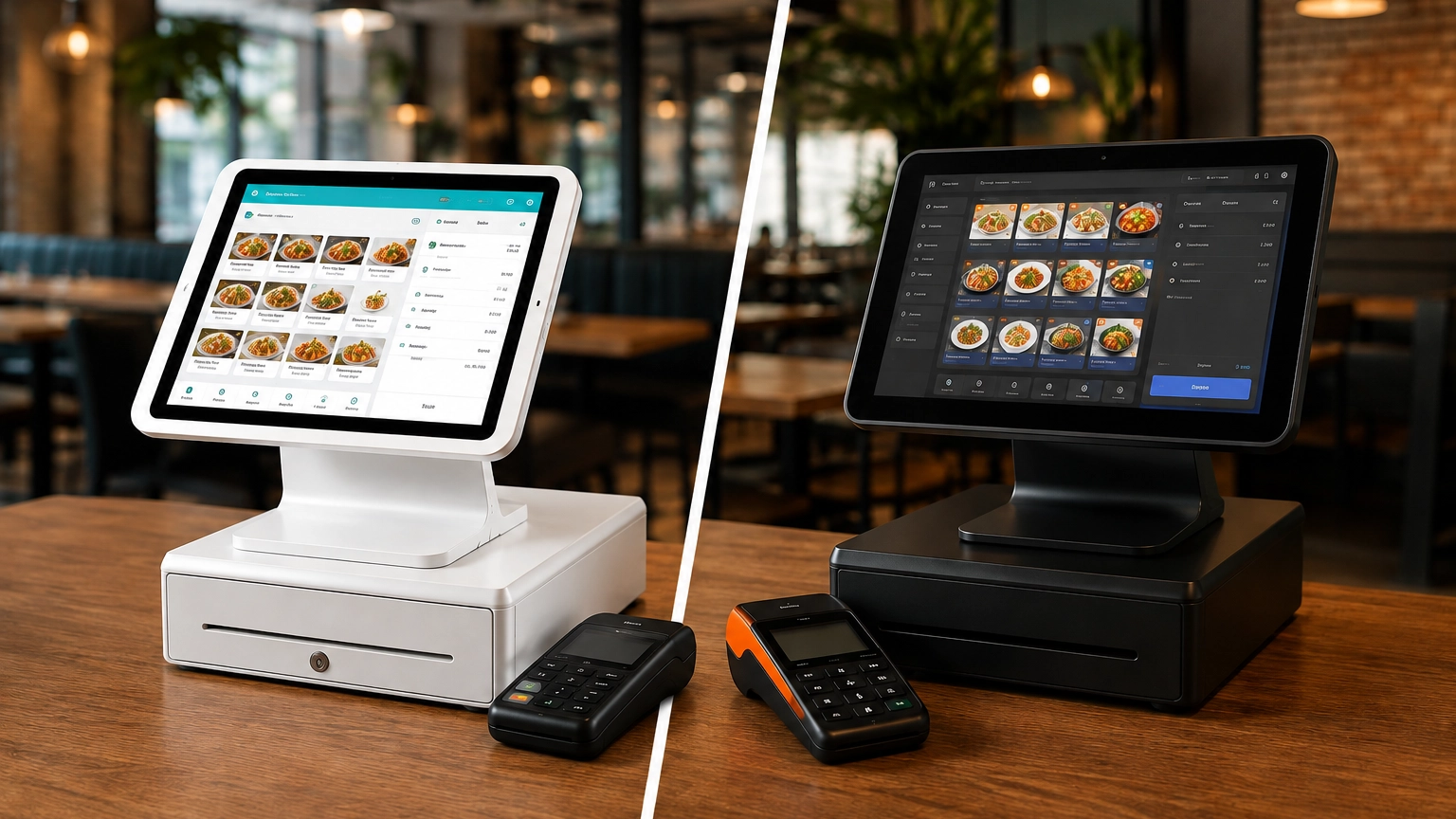
TouchBistro vs Toast: Which Is Better for Restaurants?
TouchBistro and Toast are both purpose-built restaurant POS systems, but they suit different restaurant operations. Toast
Last updated 21/08/2026
Choosing a POS system is about more than accepting card payments. Modern POS systems help you manage sales, inventory, reporting, staff performance, customer data, online ordering, ecommerce operations, and even multiple business locations from a single platform. This POS system buying guide explains how to evaluate providers, features, hardware, and costs before making a decision.
There is no single best POS system for your business. The right choice depends on how you sell, the payment methods you accept, and the features you need to support your day-to-day operations.
Restaurants often require table management features, while retailers may require ecommerce integrations. For mobile businesses, portability and integrated payment processing may be more important than advanced POS hardware.
Before making your choice, consider your business type, sales channels, payment processing requirements, hardware needs, software features, budget, transaction volume, integrations, and future growth plans. This can help you find a system that meets your needs today and continues to support your business as it grows. Fail to do so, and you could end up locked into a lengthy contract that doesn’t meet your needs.
If you’re ready to compare POS systems for your business, reviewing providers side by side is the best way to find the system that best fits your operational needs and budget.
When choosing a POS system, consider how your business operates today and how it may grow in the future. The right platform should fit your industry, sales channels, payment processing needs, hardware requirements, budget, and the software features that support your daily operations.
POS System Checklist:
The first step is understanding how your business sells. What works for a dine-in restaurant is very different from what works for an ecommerce store.
If you operate a physical location, you’ll typically need a retail POS system that supports in-person transactions through a terminal, card machine, cash drawer, and receipt printer. Retail businesses may also require barcode scanners, customer-facing displays, and industry-specific hardware such as scales.
If you sell online, you’ll need a secure payment gateway and PCI-compliant checkout tools. Businesses that sell both online and in-store should look for inventory syncing and buy online, pick up in-store (BOPIS) functionality.
Mobile businesses often rely on POS systems that work with smartphones, tablets, or mobile card readers. Features such as mobile connectivity, offline payments, digital receipts, and deposit collection can be particularly useful.
Businesses selling at markets, festivals, and temporary locations typically need portable hardware, mobile connectivity, and offline payment capabilities. Inventory syncing can also help keep stock levels accurate across locations.
Table-service restaurants often need a restaurant POS system with handheld ordering devices, tableside payments, kitchen display systems (KDS), split checks, tip management, and menu modifiers.
Counter-service businesses such as cafés, bakeries, and quick-service restaurants typically need fast checkout systems, customer-facing displays, digital tipping, and, where relevant, barcode scanners or scales.
Salons, spas, and service-based businesses often require online scheduling, appointment reminders, customer profiles, recurring bookings, deposits, and no-show protection.
Multi-location businesses typically benefit from centralized reporting, inventory tracking, stock transfers, staff permissions, and consolidated sales data.
Your required hardware can significantly impact both the functionality and overall cost of your POS system. Some businesses may only need a tablet and card reader, while others may require extensive hardware setups.
Card readers: Allow you to accept in-person debit and credit card payments
Mobile terminals: Provide portable payment processing for mobile businesses and on-the-go sales
Countertop terminals: Create a permanent checkout station for retail and hospitality businesses
Registers: Combine POS software and hardware into a centralized platform
Tablets: Offer a flexible, lower-cost alternative to traditional registers
Receipt printers: Generate customer receipts and, in some cases, order tickets
Cash drawers: Securely store cash and integrate with POS transactions
Barcode scanners: Speed up checkout and inventory management
Customer-facing displays: Allow customers to review orders, add tips, and complete payments
Kitchen display systems (KDS): Route restaurant orders directly to the kitchen
Handheld ordering devices: Allow staff to take orders and payments away from a fixed terminal
| Business Type | Likely Hardware Needs |
|---|---|
| Mobile business | Card reader, smartphone, or tablet |
| Retail store | Register, terminal, barcode scanner, receipt printer |
| Restaurant | Terminals, handheld devices, kitchen display systems, receipt printers |
| Café or quick-service | Countertop terminal, receipt printer, and optional kitchen display |
| Multi-location business | Multiple terminals and location-specific hardware requirements |
Payment processing is a key part of choosing a POS system, as it can have a major impact on total cost, especially if you process a high volume of transactions.
Most modern POS systems support multiple payment methods, including in-person card payments, contactless payments, digital wallets such as Apple Pay and Google Pay, online payments, manually keyed transactions, and card-not-present transactions.
When comparing providers, check whether you can choose a third-party payment processor or are required to use the provider’s own processing service.
Always look beyond headline rates and properly review transaction fees, processing terms, and any restrictions before committing to a provider. If the system comes with low monthly costs but high processing fees, this may not translate to the savings you expect.
For more information about this topic, check out our article that explains everything about POS pricing.
Inventory Management
Inventory management tools help you track products, monitor stock levels, manage product variants, and receive low-stock alerts before items run out. More advanced POS systems support multi-location inventory tracking and purchase orders, making it easier to replenish stock and manage suppliers. Inventory management is particularly important for retail and ecommerce businesses.
Sales Reporting and Analytics
Reporting tools help you understand how your business is performing. Most POS systems provide daily sales reports, product performance data, staff performance metrics, sales trends, payment reporting, and, in some cases, multi-location reporting. This real-world data can be used to make better business decisions.
Staff Management
Many POS systems include staff management tools, including staff logins, role-based permissions, time tracking, and sales-by-employee reporting. These tools improve accountability while helping you control which team members can access specific functions, reports, or settings.
Customer Management
Customer management features help you build stronger relationships with repeat customers. Often, you can create customer profiles, view purchase history, run loyalty programs, and connect email or SMS marketing tools. Customer insights can help you identify buying patterns and personalize marketing campaigns.
Restaurant and Hospitality Features
Restaurants often require specialized POS software beyond standard payment processing, including table management, menu management, split checks, kitchen display systems (KDS), online ordering, delivery integrations, and tipping tools. These features can help improve service speed and overall operational efficiency.
If you operate in this sector, compare dedicated restaurant POS systems.
Retail and Ecommerce Features
Retail-focused POS systems often include barcode scanning, returns and exchanges management, product variants, ecommerce syncing, and omnichannel inventory tracking. These tools help keep inventory accurate across online and physical locations.
If retail inventory management is a priority, compare retail POS systems designed specifically for omnichannel selling.
Cost is an important factor when choosing a POS system, but always look beyond the monthly subscription costs. Hardware, payment processing fees, setup or onboarding charges, add-ons, support costs, and contract or cancellation fees can all contribute to the total cost.
Some providers offer bundles where software, hardware, and payment processing are combined into a single package. Others charge separately for each component. What appears to be the cheapest option may cost more over time.
Before making a decision, you should compare the total cost of ownership and check exactly what’s included in each plan. Learn more about how much a POS system costs or compare POS system pricing to better understand the associated fees.
POS systems are not a one-size-fits-all solution. Identifying the features your industry relies on most can help you narrow down providers and avoid paying for functionality you’ll never use.
| Industry | Important POS Features |
|---|---|
| Restaurant | Table management, menu tools, kitchen display systems, tipping, online ordering |
| Retail | Inventory management, barcode scanning, returns, ecommerce sync, customer profiles |
| Café / Quick-Service | Fast checkout, menu management, receipt printing, simple reporting |
| Bar | Tabs, tipping, fast payments, drink inventory management |
| Salon / Service Business | Appointment scheduling, customer profiles, staff scheduling |
| Mobile Business | Portable payments, low hardware costs, simple setup |
| Multi-Location Business | Centralized reporting, location management, staff permissions |
Once you’ve identified your requirements, you’ll likely be thinking, “What’s the best POS system for my business?” Although there is no single solution for every business, some providers are better suited to some industries and operational requirements than others.

An easy-to-use and accessible platform, popular among smaller businesses seeking a straightforward POS system.

Known for its flexible hardware options and range of third-party integrations, Clover is well-suited to businesses prioritizing customization.

Toast is designed specifically for restaurants and offers strong hospitality features, including table management, online ordering, and kitchen workflows.

Toast is designed specifically for restaurants and offers strong hospitality features, including table management, online ordering, and kitchen workflows.

Lightspeed’s advanced stock management and reporting features make it well-suited to businesses with an extensive inventory or operating across multiple locations.

Lightspeed’s advanced stock management and reporting features make it well-suited to businesses with an extensive inventory or operating across multiple locations.

A simple, payment-focused solution that is well-suited to small businesses, mobile sellers, and startups.
Not all providers require long-term contracts. Contract terms, support options, and long-term flexibility can all affect your business as it grows.
Always review contract length, onboarding options, support availability, early termination fees, and whether hardware must be purchased or leased.
Make sure you can easily export your sales, inventory, and customer data if you decide to switch providers in the future. Also, check whether the POS system integrates with the software you already use, such as accounting, ecommerce, or marketing platforms.
Finally, choose a system that meets your needs today and can support future growth. Establish how easy it is to add terminals, locations, users, or advanced features, and whether you can upgrade plans as your business grows.
Before making your final decision, use this checklist to make sure you have all bases covered:
Ready to compare POS systems? Commercial Experts can help you compare options based on your business type, budget, and requirements.
Choosing Based Only on Price: A low monthly fee doesn’t always mean it’s the best value for money. Cheaper plans may have limited functionality, require you to pay extra to include add-ons, or have expensive processing fees. Compare all costs, not just headline pricing, to understand the total cost of ownership.
Ignoring Transaction Fees: Transaction fees impact your monthly costs, especially if you process a high volume of sales. Even the smallest differences can quickly add up over time.
Choosing a Generic POS for a Specialist Business: Choosing an industry-specific solution can help you get more value from your POS system by providing features designed for your business type.
Underestimating Hardware Needs: Make sure you understand exactly what hardware you need. Additional terminals, receipt printers, barcode scanners, kitchen displays, and handheld devices can increase costs and affect which systems are suitable for your business.
Not Checking Contract Terms: Always review contract length, cancellation terms, and payment processing agreements before signing up. Some providers may not require a binding contract, while others may require you to commit on a long-term basis with early exit fees.
Choosing a System That Cannot Scale: Your POS system should support your business as it grows. Consider whether you’ll need additional locations, terminals, employees, products, or sales channels in the future. If a system cannot support your future requirements, it may become limiting as your business grows.
If you’re wondering how to pick a POS system, start by understanding how your business operates, from your sales channels and hardware requirements to your payment processing and software needs.
Before making a decision, compare total costs rather than focusing solely on monthly fees, review contract terms and support options, and make sure the system can scale as your business grows. The right POS system should not only meet your current needs but also support future locations, staff, products, and sales channels.
Ready to compare POS systems? Commercial Experts can help you compare leading providers based on your business type, budget, and requirements.
When choosing a POS system, consider your business type, payment processing requirements, hardware needs, software features, pricing, integrations, support options, and future growth plans. The right system should support your day-to-day operations while remaining flexible enough to grow with your business.
The best POS system for a small business depends on your business and how you sell. Square is often a strong general-purpose option, while Toast and TouchBistro are designed for restaurants. Shopify POS is popular with retailers that sell online and in-store, and Clover offers flexible hardware and software options.
POS costs vary depending on software subscriptions, hardware, payment processing fees, and add-ons. Some businesses can get started with minimal upfront costs, while others require more advanced setups.
Not always, but many restaurants benefit from features such as table management, menu management, kitchen display systems, online ordering, and tipping tools. These features can improve service speed and order accuracy compared with a general-purpose POS system.
Retail businesses often benefit from POS systems that include inventory management, barcode scanning, returns management, ecommerce syncing, and customer profiles. These features can help improve inventory accuracy and simplify stock management across sales channels.
Yes. Some small and mobile businesses can get started with a smartphone, tablet, and card reader. However, hardware requirements vary depending on your business type, sales channels, and the features you need.
Not necessarily. The cheapest POS system may lack important features, have higher transaction fees, or require paid add-ons. Compare the total cost of ownership, including software, hardware, payment processing, and scalability, before making a decision.
Compare providers based on industry fit, software features, hardware options, pricing, payment processing fees, integrations, support, and contract terms. Focusing on your specific business requirements can help you identify the provider that offers the best overall value.
TouchBistro and Toast are both purpose-built restaurant POS systems, but they suit different restaurant operations. Toast
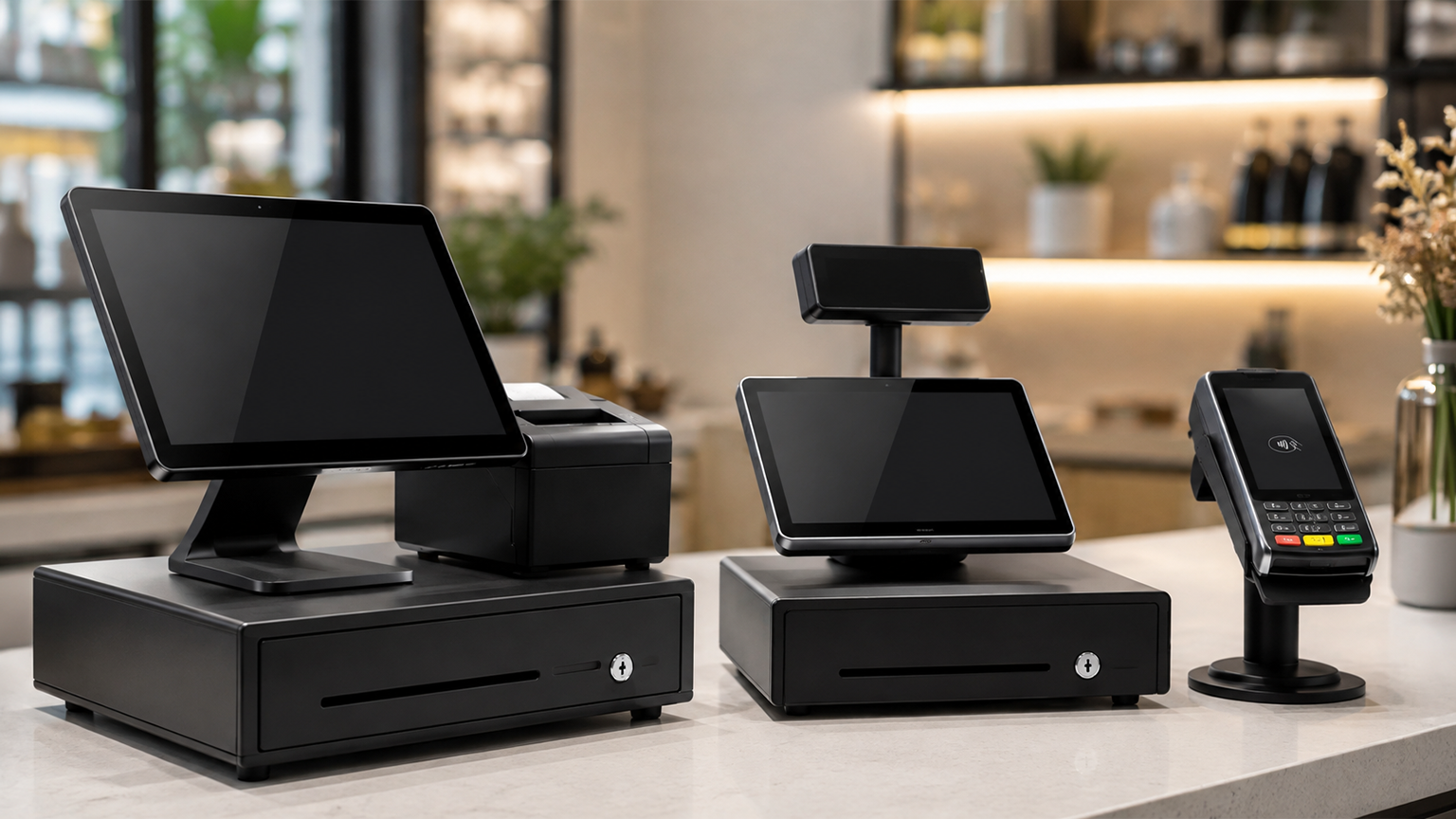
Although POS systems, cash registers, and credit card machines all help you accept payments at checkout,
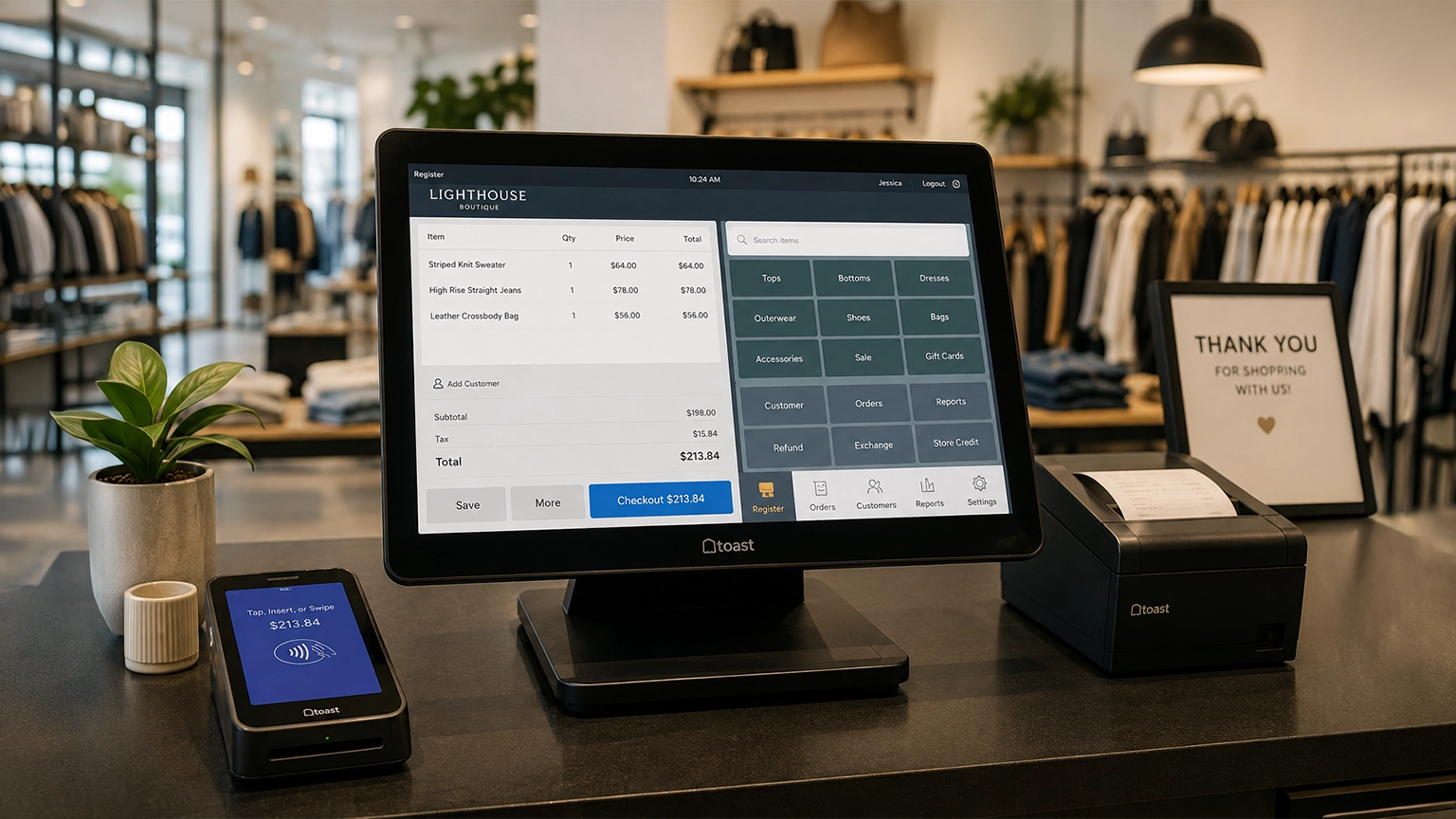
Retail POS systems do much more than process payments. Depending on your provider and plan, they