TouchBistro vs Toast: Which Is Better for Restaurants?
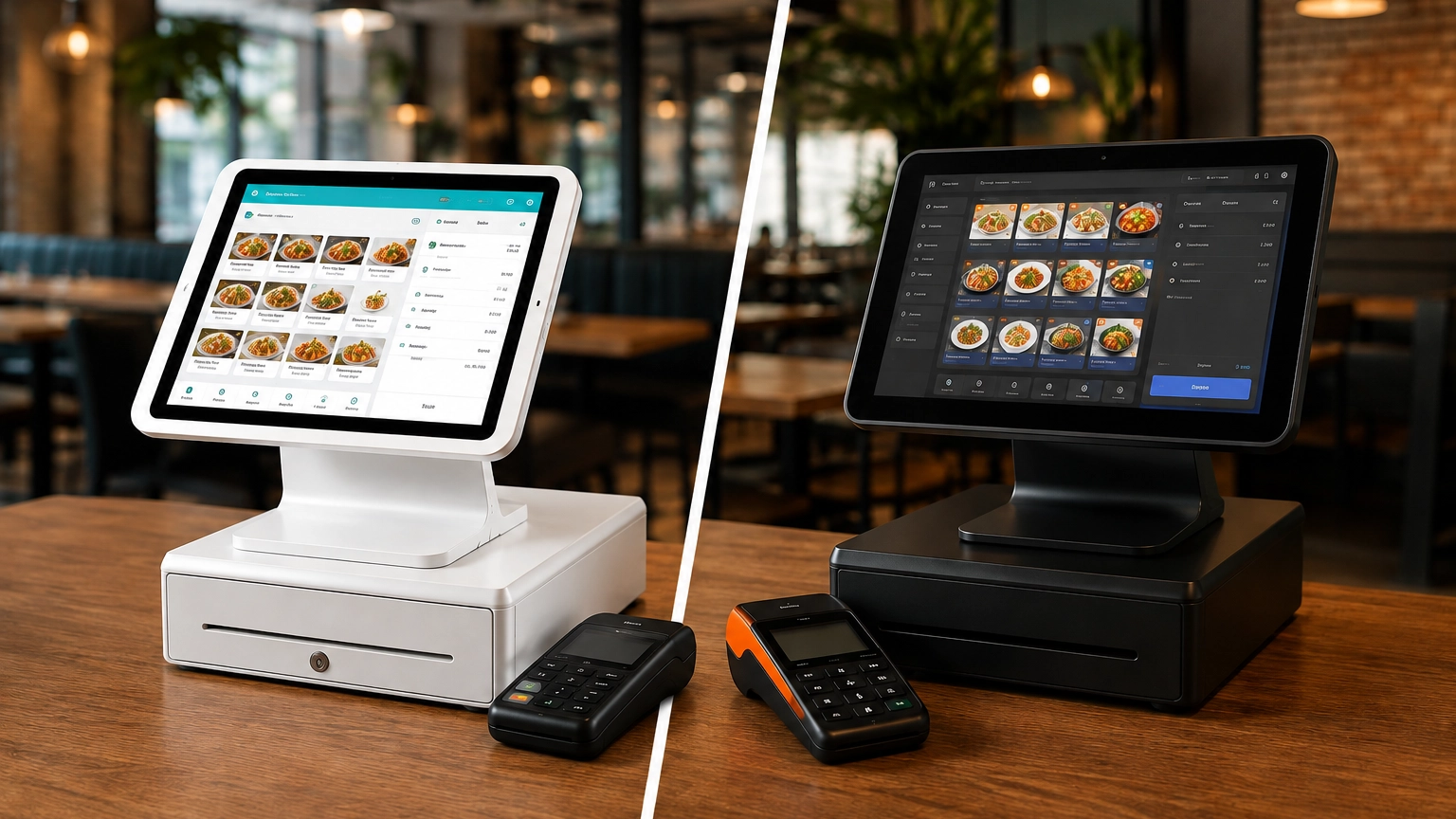
TouchBistro and Toast are both purpose-built restaurant POS systems, but they suit different restaurant operations. Toast
Last updated 26/08/2026
Modern POS systems do far more than simply process payments. Depending on the POS system, you can manage inventory, track sales, build customer relationships, oversee staff, sell online, connect with other business tools, and manage multiple locations from one platform. When comparing POS systems for your business, understanding these features can help you find a system that meets your needs.
The features you need will largely depend on how your business operates. If you’re a mobile seller, you may only need a simple checkout and payment solution, while retailers may prioritize inventory and ecommerce integration, and hospitality businesses often require restaurant-specific hardware such as kitchen display systems (KDS).
A reliable POS system should include payment processing, simple checkout tools, sales reporting, and the ability to manage the most important parts of your business. These could include inventory, customers, staff, online sales, or restaurant workflows, depending on your priorities. The right features depend on how your business operates and the way you manage your day-to-day operations.
| POS Feature | What It Does | Best For |
|---|---|---|
| Payment processing | Accepts card, contactless, and digital wallet payments | Most businesses |
| Checkout tools | Records sales, calculates totals, and completes transactions | Retail, hospitality, and service businesses |
| Inventory management | Tracks stock levels, product sales, and inventory movement | Retail, ecommerce, cafés, and bars |
| Reporting | Shows sales, trends, and business performance | All businesses |
| Customer management (CRM) | Stores customer profiles, purchase history, and loyalty information | Retail, service, and loyalty-focused businesses |
| Staff management | Controls permissions and tracks employee activity | Businesses with employees |
| Integrations | Connects your POS with accounting, ecommerce, delivery, and other business software | Growing businesses |
| Multi-location tools | Centralizes reporting, inventory, and management across multiple locations | Multi-site businesses |
Payment processing is a core part of POS functionality, allowing you to accept electronic payments quickly and securely. Most systems support debit and credit cards, contactless payments, digital wallets such as Apple Pay and Google Pay, online transactions, and, where needed, manually keyed payments for phone orders or unreadable cards. Typically, card-not-present transactions will carry a higher processing fee due to an increased fraud risk.
Processing fees, supported payment providers, and whether you’re required to use the provider’s own payment service can significantly impact your long-term costs. When comparing providers, look beyond just the supported payment methods and understand all POS payment processing fees.
Sales reporting gives you valuable insights into how your business is performing. POS reporting can generally generate daily sales reports, highlight your best-selling products, show sales by payment method, track employee performance, compare results across multiple locations, and identify sales trends over time.
This information can help you remove the guesswork from decision-making and make informed decisions based on real-world data. These insights can support decisions about inventory, staffing levels, and identifying your most profitable trading hours and products.
Sales reporting gives you valuable insights into how your business is performing. POS reporting can generally generate daily sales reports, highlight your best-selling products, show sales by payment method, track employee performance, compare results across multiple locations, and identify sales trends over time.
This information can help you remove the guesswork from decision-making and make informed decisions based on real-world data. These insights can support decisions about inventory, staffing levels, and identifying your most profitable trading hours and products.
User and staff management features help you control who can access your POS system. Most platforms allow you to create individual staff logins, assign role-based permissions, provide managers with additional access, and track sales by employee.
Limiting access to the tools and information each employee needs helps improve security and reduce errors. Tracking sales on an individual basis not only improves accountability across your staff but also identifies those who may be struggling and require extra training or support.
POS inventory management is one of the most important POS system features if you sell physical products. This functionality enables you to track stock, understand popular items, and avoid both stockouts and excess inventory.
Most POS systems with inventory features include a product catalog where you can organize products using SKUs, barcode scanning, and product variants such as different sizes, colors, or styles. Stock levels automatically sync with completed sales, keeping your inventory up-to-date. If you sell clothing, you can track the stock of each size and color separately, while a convenience store can quickly process sales using barcode scanners.
Low-stock alerts notify you when products need reordering, while purchase orders and supplier management features make it easier to replenish stock and keep records of incoming inventory. Some platforms can even automate reordering when stock reaches a predefined threshold, reducing manual work and minimizing the risk of stockouts. Returns and exchanges are also recorded automatically, maintaining accurate stock counts and reducing manual adjustments.
If you sell both online and in-person, then more advanced retail POS systems allow you to synchronize inventory across all sales channels. The centralized view helps to prevent overselling and maintains consistency between in-store and online stock. For example, if you sell an item online, your in-store inventory is automatically updated.
Stock reporting adds another layer of visibility by showing inventory movement, fast-selling products, and slow-moving items. Combined with real-time inventory tracking, this helps you make more informed purchasing decisions, reduce waste, and avoid stockouts.
Customer relationship management (CRM) features enable you to build stronger relationships with your customers and encourage repeat business. POS CRM tools store customer information and make it easier to personalize service, reward loyalty, and stay connected after a sale.
Many platforms create customer profiles that store contact details, purchase history, and customer notes. They may also include loyalty programs, gift cards, and repeat purchase tracking, giving you valuable insights into customer preferences and buying habits while encouraging repeat business.
Some POS systems integrate with email and SMS marketing platforms, allowing you to segment customers and send them personalized promotions based on their purchasing history. This can make your marketing more relevant by delivering targeted offers instead of the same message to every customer.
POS customer management features are particularly useful for retailers, salons, service businesses, restaurants with loyalty programs, and businesses selling both online and in-store. However, functionality can vary significantly between POS providers and subscription plans, so it’s important to compare the features included before making a decision.
POS systems with advanced reporting and analytics allow you to understand business performance beyond simple sales totals. These in-depth reports help you identify trends, measure performance, and make more informed business decisions. If you’re a larger or multi-location business, comparing the reporting tools included can help you choose the right POS system.
Many POS systems can break down revenue by day, week, month, or custom date ranges, making it easier to spot seasonal patterns and monitor business growth. You can also analyze product and category performance to identify your best-selling items.
Staff performance, sales by location, inventory reports, payment method breakdowns, refunds and returns, customer purchasing trends, and peak trading times can be analyzed. Some platforms also compare gross sales with net sales, helping you understand the impact of discounts, refunds, taxes, and other adjustments on your overall revenue.
While basic reporting is included with most POS systems, more advanced analytics, custom reports, and business intelligence tools are typically reserved for higher-tier subscription plans or enterprise-level platforms.
Restaurants, cafés, bars, and other food service businesses often need more specialized point-of-sale system features than general retail businesses. Alongside core payment processing, restaurant POS systems help manage orders, improve service, and keep front- and back-of-house operations running smoothly.
Menu management is a restaurant POS feature that allows you to organize menu items, update pricing, create categories, and manage modifiers such as extra toppings, side dishes, or cooking preferences. Some systems also support ingredient or menu item tracking, helping you monitor ingredient and menu item inventory.
Table management, floor plans, reservations, tab management, split checks, tipping, and handheld ordering devices are other crucial features that can help a range of hospitality businesses. For example, a full-service restaurant may benefit from table management and routing orders to the kitchen. A quick-service restaurant may prioritize large menu buttons, fast checkout, and payment processing, while bars may prefer tab management and tipping features.
Specialized hardware is also available for restaurants. A popular choice is the kitchen display systems (KDS) and kitchen ticket printers, which help route orders directly from the POS to the kitchen, improving communication between floor and kitchen staff, and reducing manual errors.
Many restaurant POS systems also integrate with online ordering and delivery platforms. This allows orders from multiple channels to be centrally organized, improving efficiency and reducing manual orders.
Retail businesses often require more advanced POS features than businesses that only process payments. Boutiques, convenience stores, or ecommerce businesses all require a retail POS system that can help you manage inventory, serve customers, and sell across multiple channels.
Barcode scanning, product variants, and size or color options make it easier to organize product catalogues more efficiently and improve checkout accuracy. A boutique may rely on these features to track stock for every size and color of the same item, whereas a convenience store may prioritize barcode scanning and fast checkout to reduce queues during busy periods.
Retail POS systems also help you manage stock throughout its lifecycle. Features such as purchase orders, stock transfers, returns and exchanges, and multi-location inventory make it easier to replenish products. If you operate across multiple locations, then this can help maintain accurate inventory levels across multiple stores.
CRM functionality allows you to build customer profiles, understand purchasing behaviour, and deliver more targeted marketing campaigns. While loyalty programs and gift cards can help encourage repeat business. Advanced reporting can segment by product or category to provide valuable insights into purchasing trends and business performance.
If you sell both online and in-store, ecommerce integration and omnichannel selling keep inventory synchronized across every sales channel. This helps prevent overselling, creates a more consistent shopping experience, and gives you a single view of inventory and sales regardless of where a purchase is made.
If you sell from both a physical and online store, then an ecommerce integration is an essential POS feature. An ecommerce integrated POS system helps keep your products, inventory, customers, and sales data synchronized, reducing manual work and streamlining your operations. Inventory is typically updated automatically, helping keep stock levels consistent across online and physical locations.
Additional features such as click-and-collect, online payment processing, shipping integrations, and sales channel reporting can help simplify your operations and provide greater visibility into how your business is performing across different channels. Some POS systems also connect to social commerce platforms, allowing you to sell through social media channels, alongside your online and physical stores.
A popular ecommerce-focused POS system is Shopify POS, offering seamless integration between online and in-store sales. However, Shopify is not the only provider to offer omnichannel selling, which is why it’s important to compare the features that best suit your needs.
POS integrations allow your system to connect with the other software you already use. This helps reduce manual data entry, streamline your workflows, and keep data consistent across all platforms. Some of the most common integrations include:
By sharing data automatically, these integrations can improve day-to-day operations and save valuable administrative time. For example, sales data can flow directly into your accounting software, automatically recording sales and reducing manual data entry. Customer profile information can sync directly into your marketing platform for more targeted campaigns.
Some providers will include these integrations as part of your package, while others offer them as paid add-ons, premium subscriptions, or third-party services. This can contribute to your overall cost of ownership, so always ensure you understand how you acquire these features.
As your business grows, your POS requirements are likely to grow with it. Features that once seemed unnecessary can quickly become essential as you grow, such as managing multiple stores, larger teams, or more complex operations.
Many higher-tier packages include advanced features such as multi-location reporting, centralized inventory management, advanced user permissions, franchise or location management tools, custom reporting, and advanced analytics. Some platforms also offer API access (making custom integrations and workflows possible), configurable workflows, enterprise support, and hardware management across multiple sites.
These features can help you streamline operations, improve visibility across every location, and give you greater control over your data and processes. However, not all businesses need these advanced features. If you’re a single-location retailer with a small team, a simpler POS system will likely meet all of your requirements, without the additional cost or complexity.
The best POS system isn’t the one with the most features; it’s the one that gives you the tools you actually need. While some features are non-negotiable, like payment processing and checkout tools, other features you need largely depend on your industry, how you sell, and business size.
| Business Type | Essential Features | Optional / Advanced Features |
|---|---|---|
| Mobile business | Card payments, simple checkout, digital receipts | Basic customer records, tax reporting |
| Retail store | Inventory management, barcode scanning, reporting, customer profiles | Ecommerce sync, loyalty programs, multi-location tools |
| Restaurant | Menu management, table management, tipping, kitchen workflows | Online ordering, reservations, delivery integrations |
| Café / Quick-service | Fast checkout, menu buttons, payment processing, reporting | Loyalty programs, kitchen display systems, online ordering |
| Salon / Service business | Customer profiles, appointment scheduling, staff tracking | Loyalty programs, marketing integrations |
| Ecommerce-led retailer | Online and in-store inventory sync, inventory management, customer data | Advanced reporting, multi-channel integrations |
| Multi-location business | Centralized reporting, user permissions, inventory by location | Advanced analytics, custom workflows |
Although core functionality is often included in most POS software packages, such as payment processing, checkout, and basic inventory management, more advanced features often increase your monthly POS costs. Features commonly reserved for higher-tier plans include:
When comparing POS system pricing, factor in these additional costs alongside the advertised monthly software price. Choose a system with the tools you need today while giving you the flexibility to grow, helping you avoid unexpected costs or switching providers later.
Choosing a POS system can feel overwhelming, especially when comparing multiple providers. That’s why we’ve created this checklist to help you compare providers and find a system that fits your business today and as it grows.
Compare POS systems with Commercial Experts and find the right solution for your business.
The most important POS features depend entirely on how your business operates. The features beyond these core tools depend on what you need to manage your day-to-day operations.
If you’re a retailer, you may prioritize inventory management, barcode scanning, and ecommerce integration, while restaurants may focus more on menu management, kitchen display systems, and table service tools.
As your business grows, your POS requirements will often grow with it. Staff management, integrations, advanced reporting, and multi-location management may not seem essential today, but could soon become non-negotiables.
If there’s one thing to take away from this article, it’s that the best POS system isn’t the one with the most features. It’s the one that has the right features for your business.
The main features of a POS system include payment processing, checkout tools, inventory management, sales reporting, customer management (CRM), staff access controls, and integrations with software such as accounting, ecommerce, marketing, and delivery platforms.
Most small businesses need reliable payment processing, a simple checkout system, and sales reporting. Additional features depend on your industry, such as inventory management for retailers, menu management for restaurants, appointment scheduling for service businesses, or customer profiles for businesses that rely on repeat customers.
Many POS systems include inventory management features, but the level of functionality varies. Basic systems may only track stock levels, while more advanced platforms can support barcode scanning, product variants, purchase orders, supplier management, low-stock alerts, and multi-location inventory.
POS CRM (Customer Relationship Management) refers to features that help you manage customer information. These typically include customer profiles, purchase history, loyalty programs, gift cards, customer notes, and integrations with email or SMS marketing platforms to encourage repeat business.
Most POS systems can generate sales reports, product and category performance reports, payment method summaries, staff performance reports, customer purchasing trends, inventory reports, and multi-location reporting. More advanced reporting features are often available with higher-tier subscription plans.
Restaurants typically need menu management, table management, kitchen display systems (KDS), tipping, split checks, online ordering, delivery integrations, reservations, and handheld ordering devices. The right combination of features depends on whether you operate a full-service restaurant, café, quick-service restaurant, or bar.
Retail businesses often benefit from inventory management, barcode scanning, product variants, returns and exchanges, customer profiles, loyalty programs, ecommerce integration, and sales reporting. Retailers operating across multiple locations may also require centralized inventory and stock management.
In many cases, yes. Advanced features such as multi-location management, advanced reporting, loyalty programs, ecommerce integrations, restaurant workflows, or API access may only be available with higher-tier plans, paid add-ons, or additional hardware, depending on the POS provider.
TouchBistro and Toast are both purpose-built restaurant POS systems, but they suit different restaurant operations. Toast
Although POS systems, cash registers, and credit card machines all help you accept payments at checkout,
Retail POS systems do much more than process payments. Depending on your provider and plan, they