TouchBistro vs Toast: Which Is Better for Restaurants?
TouchBistro and Toast are both purpose-built restaurant POS systems, but they suit different restaurant operations. Toast
Last updated 26/08/2026
Retail POS systems do much more than process payments. Depending on your provider and plan, they can also help manage inventory, scan barcodes, track product variants, process returns, build customer profiles, sync online and in-store sales, and generate reports from a single system.
The best retail POS depends on how you sell, not the platform with the most features. A boutique, convenience store, ecommerce retailer, pop-up, or multi-location business all have different requirements. This retail POS comparison guide explains the key factors to consider, so when it’s time to compare retail POS systems, you’ll be able to find one that best suits your needs.
The best retail POS system depends on how your business operates. Smaller retail stores may only require a system with simple inventory management and sales tracking features, while more complex retail operations may benefit from advanced tracking, reporting, and integrations that support multiple locations. Choose a system that fits your inventory, sales channels, budget, and long-term growth plans.
| Retail POS System | Best For | Key Strength | Potential Limitation |
|---|---|---|---|
| Shopify | Ecommerce-connected retail | Online and in-store inventory sync | Best value when using Shopify ecommerce |
| Square | Small retail stores | Simple setup and accessible tools | Advanced retail features may require paid plans |
| Lightspeed | Inventory-heavy retailers | Advanced stock, reporting, and multi-location tools | May be more complex than very small shops need |
| Clover | Flexible retail hardware and apps | Wide range of hardware and app integrations | Pricing and packages can vary by reseller |
| Sumup | Very small retailers and pop-ups | Low barrier to entry for card payments | Limited advanced retail features |
A good retail POS system should make it easier for you to carry out your day-to-day operations and give you the tools to grow your business. As you compare retail point of sale systems, assess these common features and which ones are most essential to how you do business:
Fast checkout: Speeds up transactions, reduces queues, and improves the customer experience.
Barcode scanning: Helps staff process sales quickly while reducing pricing and data entry errors.
Product catalog management: Makes it easier to organize products, update pricing, and manage large inventories.
Product variants: Allows you to manage different sizes, colors, styles, or other variations under one product.
Inventory tracking: Gives you real-time visibility into stock levels across one or multiple locations.
Stock alerts: Notifies you when inventory runs low so you can reorder to avoid stockouts.
Returns and exchanges: Simplifies refunds and exchanges while keeping inventory records accurate.
Customer profiles: Stores customer details and purchase history to support better service and marketing.
Loyalty tools: Encourages repeat business with rewards, points, or member discounts.
Ecommerce integration: Connects your online and in-store sales so products, customers, and orders stay synchronized.
Online and in-store stock sync: Updates inventory across every sales channel to help prevent overselling.
Payment processing: Accepts multiple electronic payment methods, including card, contactless, and digital wallets.
Gift cards: Lets customers purchase and redeem gift cards to boost loyalty and encourage future sales.
Staff permissions: Controls employee access to features such as refunds, discounts, inventory, and reporting.
Multi-location support: Centralizes inventory, reporting, and operations across multiple stores.
Reporting and analytics: Tracks sales, product performance, and business trends to support better decisions.
Hardware flexibility: Allows you to configure your hardware setup to best match your needs, including portable credit card readers and barcode scanners.
Support and onboarding: Helps you get up and running quickly while providing assistance when you need it.
For a deeper look into how these can help your business, explore our guide to retail POS features.

Why it suits retail businesses: Shopify is designed for omnichannel selling, allowing retailers to manage physical and online stores through a single platform. Products, inventory, customer information, and orders remain synchronized across every sales channel.
Key retail features: Product catalog and inventory synchronization, customer profiles, order history, omnichannel selling, and integrated ecommerce management.
Hardware considerations: Supports Shopify card readers, terminals, barcode scanners, receipt printers, cash drawers, and other compatible retail hardware.
Pricing considerations: Pricing varies by Shopify subscription, with some advanced retail capabilities only unlocked on higher-tier plans.
Payment processing considerations: Shopify Payments is Shopify’s native payment provider, although third-party payment providers are also supported in eligible markets.
Who it is not ideal for: Retailers with no plans to sell online or businesses looking for a standalone retail POS system without an ecommerce platform.
Learn more in our Shopify POS overview.

Why it suits retail businesses: Square POS is simple to set up and use, while offering retail functionality. This makes it a solid choice for smaller setups looking for straightforward payments, inventory management, and reporting without unnecessary complexity.
Key retail features: Product catalog management, basic inventory tracking, sales reporting, customer management, and integrated payment processing.
Hardware considerations: Square’s hardware range includes mobile card readers, countertop terminals, full registers, barcode scanners, receipt printers, and cash drawers.
Pricing considerations: Free plans with limited functionality are available, while more advanced features may only be accessible on paid plans.
Payment processing considerations: Square combines POS software and payment processing into one platform, with payment processing rates varying by transaction type.
Who it is not ideal for: Larger retailers with complex inventory requirements or businesses that need advanced retail management features.
Learn more in our Square POS overview.

Why it suits retail businesses: Lightspeed Retail offers advanced inventory management tools that help retailers manage larger stock volumes, product variants, purchasing, and reporting across multiple locations through a single platform.
Key retail features: Advanced inventory management, product variants, stock control, purchasing tools, multi-location inventory, and detailed reporting.
Hardware considerations: Supports a wide range of retail hardware, including registers, barcode scanners, receipt printers, payment terminals, and cash drawers.
Pricing considerations: Pricing is generally higher than entry-level POS systems, with no free options available, reflecting its more advanced functionality.
Payment processing considerations: Payment processing options vary depending on the plan, location, and chosen payment provider.
Who it is not ideal for: Very small retailers that only need basic payment acceptance and simple inventory management.
Learn more in our Lightspeed POS overview.

Why it suits retail businesses: Clover offers multiple hardware options and an extensive app marketplace, allowing retailers to build a POS setup that meets their specific needs.
Key retail features: Inventory management, customer management, reporting, app integrations, and customizable workflows through the Clover App Market.
Hardware considerations: Available with handheld devices, countertop terminals, portable systems, full registers, and customer-facing displays.
Pricing considerations: Clover is sold exclusively through certified resellers, with hardware and software subscription costs varying depending on the reseller.
Payment processing considerations: Rates are determined by the chosen reseller.
Who it is not ideal for: Retailers looking for fixed pricing or businesses that want to purchase directly without comparing reseller options.
Learn more in our Clover POS overview.

Why it suits retail businesses: SumUp provides a simple, affordable way to start accepting card payments without the complexity of a larger retail POS platform.
Key retail features: Card payment acceptance, basic product management, simple sales tracking, and straightforward checkout functionality.
Hardware considerations: Offers compact card readers and simple POS hardware designed for quick setup and mobile use.
Pricing considerations: Entry costs are generally lower than those of more advanced retail POS systems, making it attractive for smaller businesses.
Payment processing considerations: Payment processing is integrated with the platform, providing a simple setup for accepting card payments.
Who it is not ideal for: Retailers with complex inventory requirements, multiple locations, or advanced reporting, ecommerce, and customer management needs.
Learn more in our SumUp POS overview.
| Retail Business Type | Recommended POS Options | Why |
|---|---|---|
| Small retail store | Square, Clover, Shopify POS | Simple checkout, payment processing, and core retail management features. |
| Boutique or clothing store | Shopify POS, Square, Lightspeed Retail | Supports product variants, customer profiles, and omnichannel selling. |
| Ecommerce-led retailer | Shopify POS, Square | Keeps online and in-store inventory, orders, and customer data synchronized. |
| Convenience store | Clover, Lightspeed Retail, Square | Fast checkout, barcode scanning, and reporting for high-volume transactions. |
| Inventory-heavy retailer | Lightspeed Retail, Shopify POS | Advanced inventory management, stock control, and product reporting. |
| Pop-up retailer | Square, SumUp, Shopify POS | Portable hardware, simple setup, and flexible payment acceptance. |
| Multi-location retailer | Lightspeed Retail, Shopify POS, Clover | Centralized inventory management, reporting, and multi-store oversight. |
| New retail business | Square, Shopify POS, Clover | Flexible options that can scale with your budget, sales channels, and feature requirements. |
Most retail POS systems offer similar core features, but how these features work can vary between providers. We’ve already explained what each retail POS feature does; understanding what to look for in these features becomes increasingly important when you begin to narrow down providers.
| Feature | What to Look For |
|---|---|
| Product catalog | How easily can you organize products, manage categories, update pricing, and handle large inventories? |
| Barcode scanning | Which barcode scanners are supported, and will they work with your existing hardware? |
| Product variants | Can you manage different sizes, colors, styles, or other variations without creating duplicate listings? |
| Inventory tracking | Does inventory update in real time across every sales channel and store location? Are these tools included, or do advanced features require higher-tier plans or paid add-ons? |
| Stock alerts | Can you customize low stock thresholds and automate reorder notifications? |
| Returns and exchanges | How simple is the returns process, and does inventory update automatically after refunds or exchanges? |
| Customer profiles | Can you store purchase history, contact details, preferences, and customer notes in one place? |
| Loyalty tools | Are loyalty programs included, or do they require an additional subscription or integration? |
| Gift cards | Are both physical and digital gift cards supported across online and in-store sales? |
| Ecommerce integration | Which ecommerce platforms are supported, and how well are products, customers, and inventory synchronized? |
| Multi-location inventory | Can you transfer stock between stores, monitor inventory by location, and generate centralized reports? |
| Staff permissions | Can you create custom user roles and control access to refunds, discounts, reporting, and inventory? |
| Reporting and analytics | Does the system provide the reports you need, such as sales trends, product performance, customer insights, and multi-location reporting? |
| Payment processing | Which payment methods are accepted, what are the transaction fees, and can online and in-store payments be managed together? |
| Hardware options | Which card readers, barcode scanners, receipt printers, registers, and customer displays are compatible? |
Retail POS pricing depends on the provider, your hardware requirements, and the features your business needs. Some providers will offer free, entry-level software, but functionality is often limited, and hardware and integrations may cost extra. Others offer monthly, tiered pricing and may include inventory management, loyalty programs, ecommerce integrations, and multi-location features.
Additional hardware, such as card readers, extra terminals, registers, barcode scanners, receipt printers, and cash drawers, also needs to be included in your budget. When comparing retail POS providers, assess whether they offer bundles where hardware is packaged together or purchased separately.
Look beyond the headline fees and consider software subscriptions, hardware, payment processing fees, optional add-ons, support, and onboarding costs to understand the total cost of ownership and ensure the system fits your budget and growth plans.
For a more detailed breakdown, read our guides to POS system pricing, how much a POS system costs, and POS pricing explained.
General POS systems can work well if you have simple sales and payment needs. However, if you run a larger operation with a more complex product catalog, sell across multiple channels and locations, a purpose-built POS system for retail may be a better fit if you have more complex inventory and sales requirements.
Use the comparison table below to see what type of system is right for you.
| Feature | General POS | Retail POS |
|---|---|---|
| Basic checkout | Yes | Yes |
| Card payments | Yes | Yes |
| Product catalog | Basic product management | More advanced product organization and management |
| Barcode scanning | May be limited or plan-dependent | Often included and designed for retail workflows |
| Product variants | Basic support | Better support for sizes, colors, styles, and other variants |
| Returns and exchanges | Basic functionality | More streamlined retail returns and inventory updates |
| Ecommerce sync | May require an integration or higher-tier plan | Often built for online and in-store selling |
| Inventory reporting | Basic stock reporting | More detailed inventory insights and reporting |
| Multi-location inventory | Limited or add-on functionality | Often available on advanced retail plans |
Shopify POS and Square POS are both popular retail POS systems, but they’re designed for different types of retail businesses.
Shopify POS is an omnichannel-focused POS system that is well-suited to retailers that already sell online through Shopify or are looking to expand into online selling.
Square POS is geared more towards smaller retailers, looking for a simple POS system that comes with integrated payments and the essential tools needed to run a physical store.
The right choice depends on your ecommerce requirements, inventory complexity, hardware preferences, payment processing costs, and budget.
For a detailed feature-by-feature comparison, read our Shopify POS vs Square POS guide.
When it’s time to choose your POS system, ask yourself the following questions to help narrow down your search:
For a more detailed look at this step of your POS journey, read our article on how to choose a POS system.
There is no single “best retail POS system”; instead, find a system that best fits your business needs.
Shopify POS is a strong choice for retailers that sell online and in-store. Square POS suits many small retail stores, Lightspeed Retail is well-suited to inventory-heavy businesses, Clover offers flexible hardware and customization options, and SumUp is a good fit for pop-ups and very small retailers.
Ultimately, the right choice for your business depends on your inventory, sales channels, hardware needs, budget, payment processing terms, and whether you sell online as well as in-store. Find a system that meets your current needs, while growing with your business to avoid switching platforms further down the line.
Compare retail POS systems with Commercial Experts and find the right provider for you.
The best POS system for retail stores depends on how your business operates. Shopify POS is a strong option for ecommerce-connected retailers, Square suits many small retail stores, Lightspeed Retail works well for inventory-heavy businesses, and Clover is ideal for retailers wanting flexible hardware. Choose the system that best matches your inventory, sales channels, and budget.
Many small retail businesses choose Square POS because it’s easy to set up and includes essential retail features. Shopify POS is a good option if you plan to sell online and in-store, while Clover suits businesses looking for flexible hardware and customizable functionality. The right choice depends on your budget and business needs.
Retailers with large product catalogs should look for POS systems with inventory tracking, barcode scanning, product variants, stock alerts, and detailed reporting. Lightspeed Retail is well-suited to inventory-heavy businesses, while Shopify POS can also be a strong choice for retailers managing both online and in-store inventory.
Yes. Shopify POS is a strong option for retailers that sell online and in-store because it keeps products, inventory, orders, and customer information synchronized across both sales channels. It’s particularly well-suited to businesses already using Shopify or planning to expand into ecommerce.
Yes. Square POS is well-suited to small retail stores, boutiques, and pop-up shops that want an easy-to-use POS system with integrated payments, inventory management, reporting, and flexible hardware. It offers many of the core features smaller retailers need without unnecessary complexity.
The cost of a retail POS system depends on software subscriptions, hardware, payment processing fees, barcode scanners, ecommerce integrations, optional add-ons, and customer support. Some providers offer entry-level plans, while businesses with more advanced retail requirements may need higher-tier subscriptions and additional hardware.
A retail POS system should support checkout, payment processing, inventory management, barcode scanning, product variants, returns and exchanges, customer profiles, reporting, and ecommerce integration. Retailers with multiple locations may also benefit from centralized inventory management and multi-store reporting.
A retail-specific POS system is recommended if you need inventory management, barcode scanning, returns processing, customer profiles, ecommerce synchronization, or multi-location stock control. Businesses with more complex retail operations often benefit from features that basic POS systems don’t typically provide.
TouchBistro and Toast are both purpose-built restaurant POS systems, but they suit different restaurant operations. Toast
Although POS systems, cash registers, and credit card machines all help you accept payments at checkout,
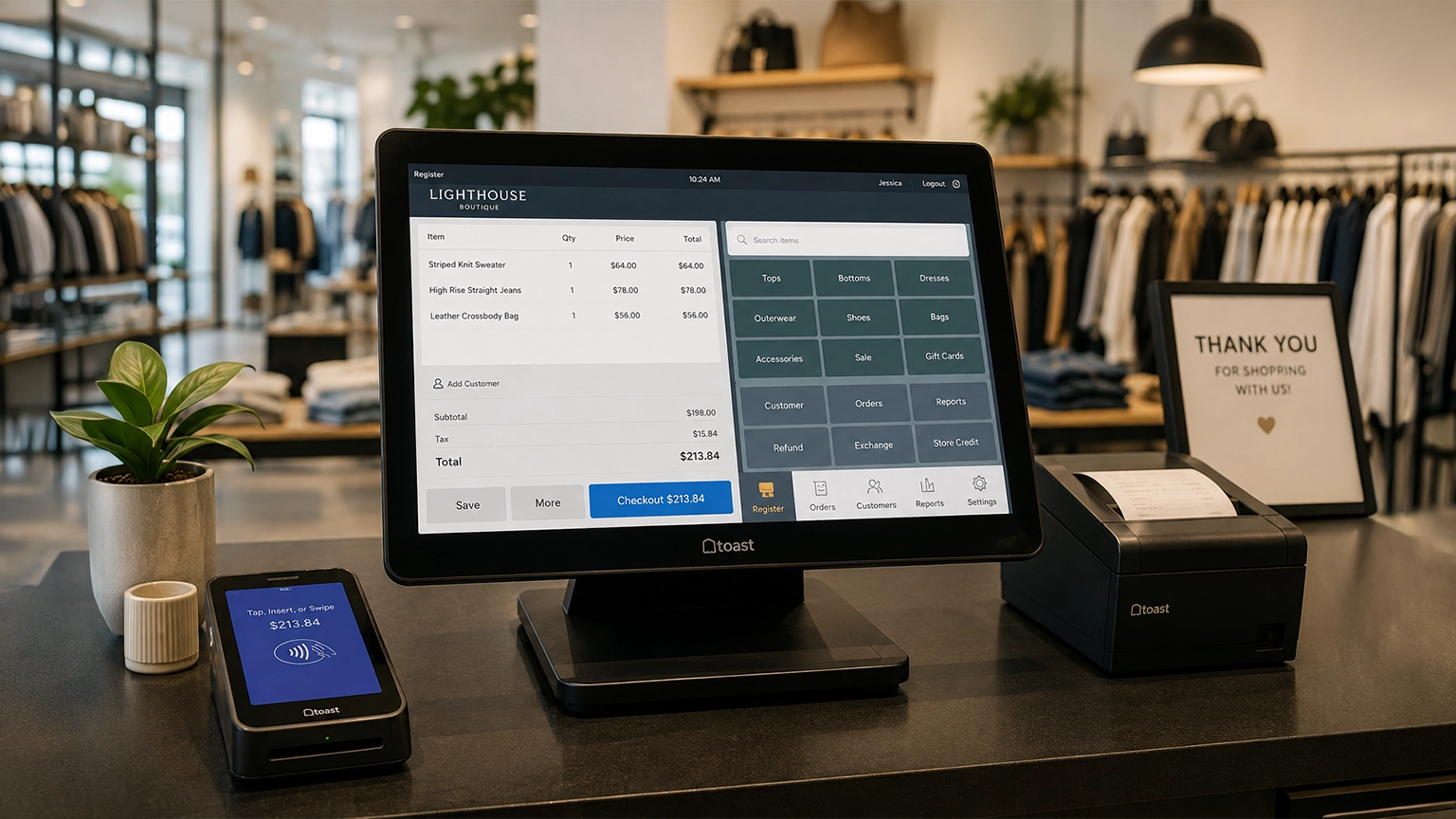
Retail POS systems do much more than process payments. Depending on your provider and plan, they